Our big LiveVoice 5.0 update: What's in it for you
We've released our major update LiveVoice 5.0 - which is so extensive that this blog post is, well, long… We encourage you still to read the full post, as it is definitely worth it!
But here's a summary first:
- New event setup: AI Translation Quick setup
- AI Translation: Voice and subtitles now combined
- New channel setup: Choose from 3 channel types
- AI On Demand Translation: Let participants request languages
- AI: Start/Stop scheduling, pausing by voice and user activity
- Linked Events: Connect multiple events so users can navigate
- AI pricing: Price changes and new categories
Read on here to get the details about all updates and watch the update in action below.
Quick Setup for AI Translation ✨
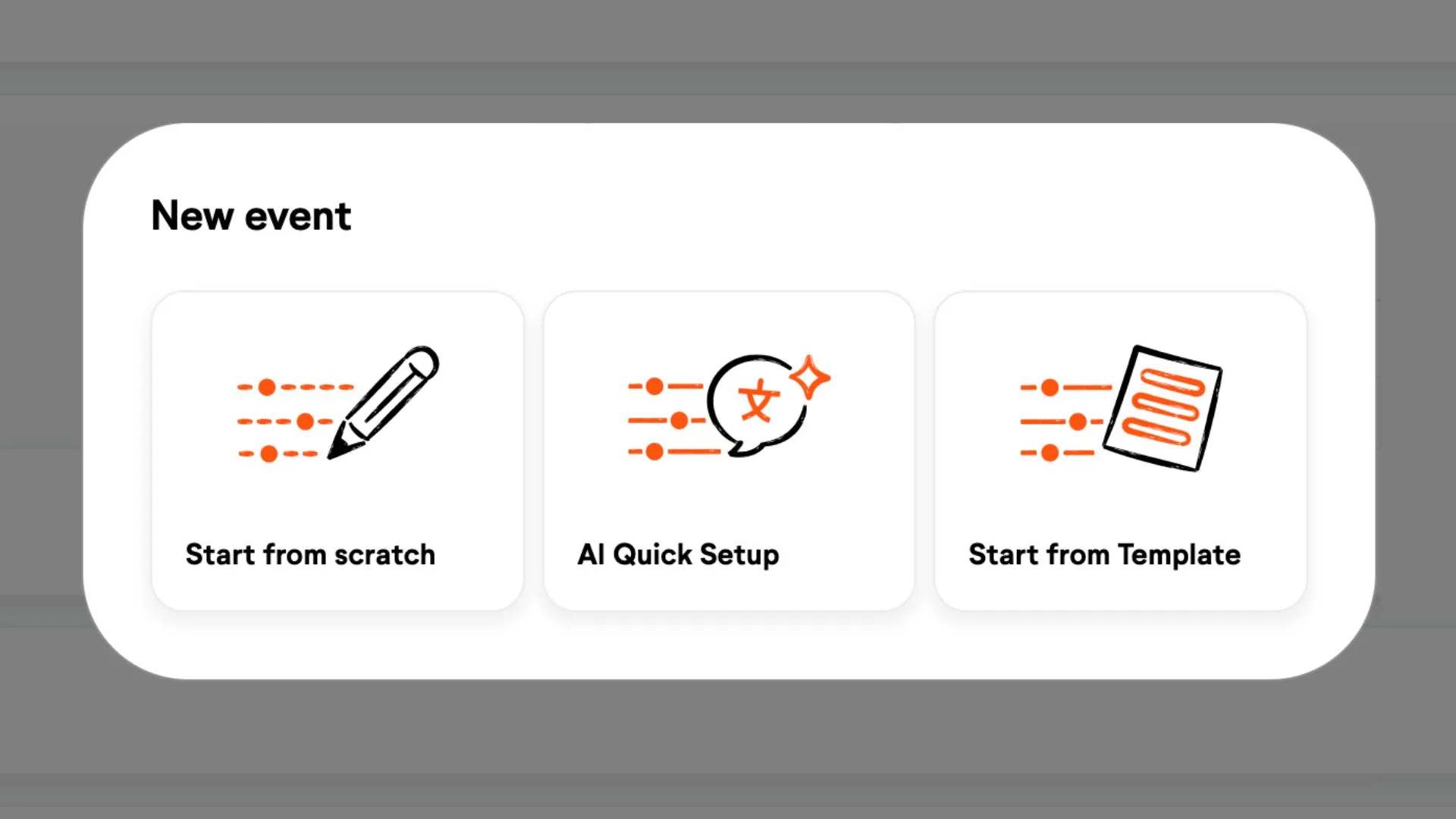
Creating events is now even easier and faster. In addition to templates, we are introducing AI Quick Setup, which allows you to fully create AI Translation events in just a few clicks. Simply select the source and target languages, and all channels will be created automatically. Of course, you can still customize any event later as needed. Learn more.
All-in-one! AI Voice and Text Translation 🤝
Previously, AI Voice Translation and translated subtitles were two separate features. With LiveVoice 5.0, we're bringing themtogether. You simply select the target language and receive both voice and text translations. Of course, you can still choose to show just one of them, but as the best user experience is the combination of both, the combined option will be the new default mode.
The best part: as an AI Voice Translation user, youwon't pay anything extra for translated subtitles, as they’re now included. The price for voice and text translation is now exactly the same.
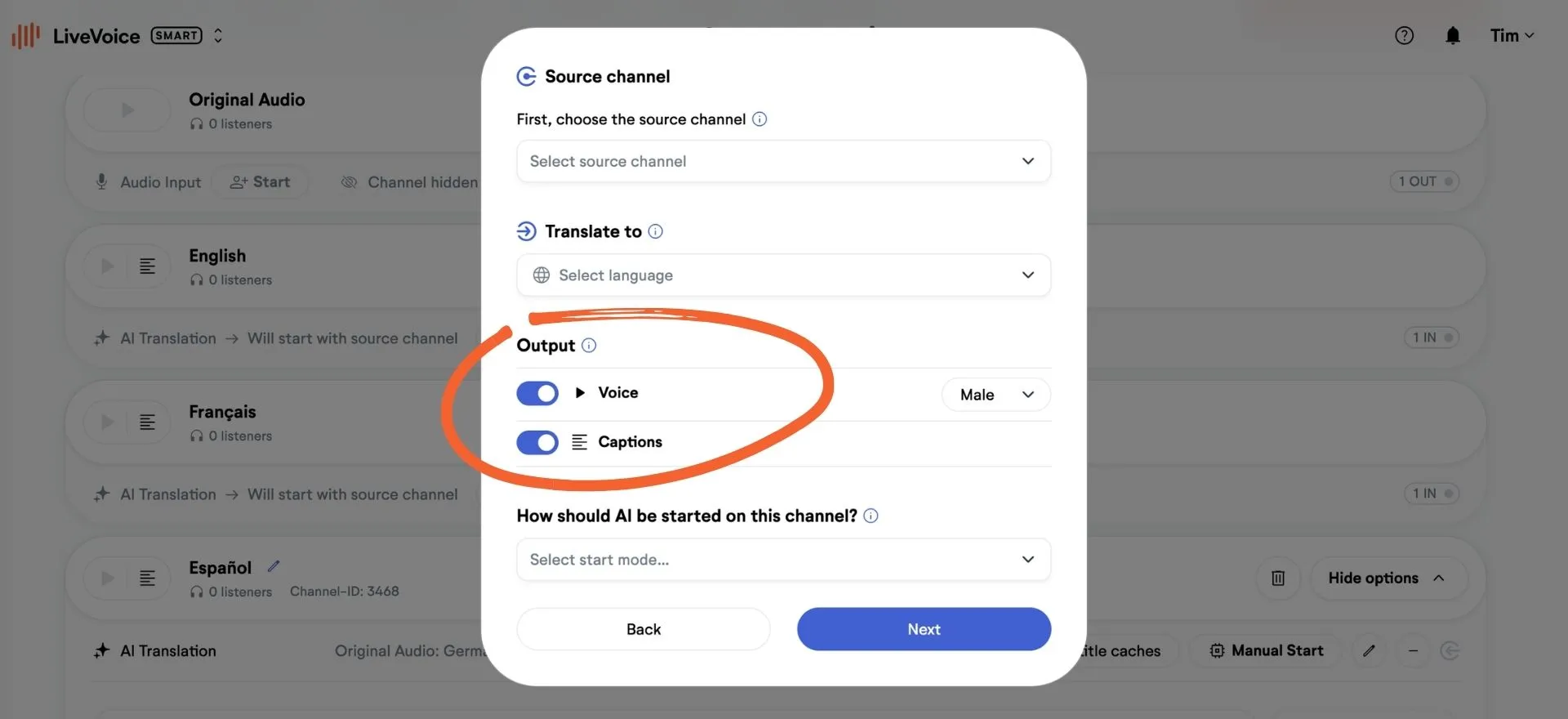
Live Captions, the original live transcript of an audio channel (formerly known as original subtitles), remain a separate feature. However, we've also simplified the setup, making it even easier to configure them.
Translated subtitles: Now actual channels 👀
With LiveVoice 5.0, we're simplifying the logic for translated subtitles. They are no longer displayed separately in a menu. If you want to display text-only translations (translated subtitles), you now create a channel, just like you already did for voice translation.
New channel setup 🚀
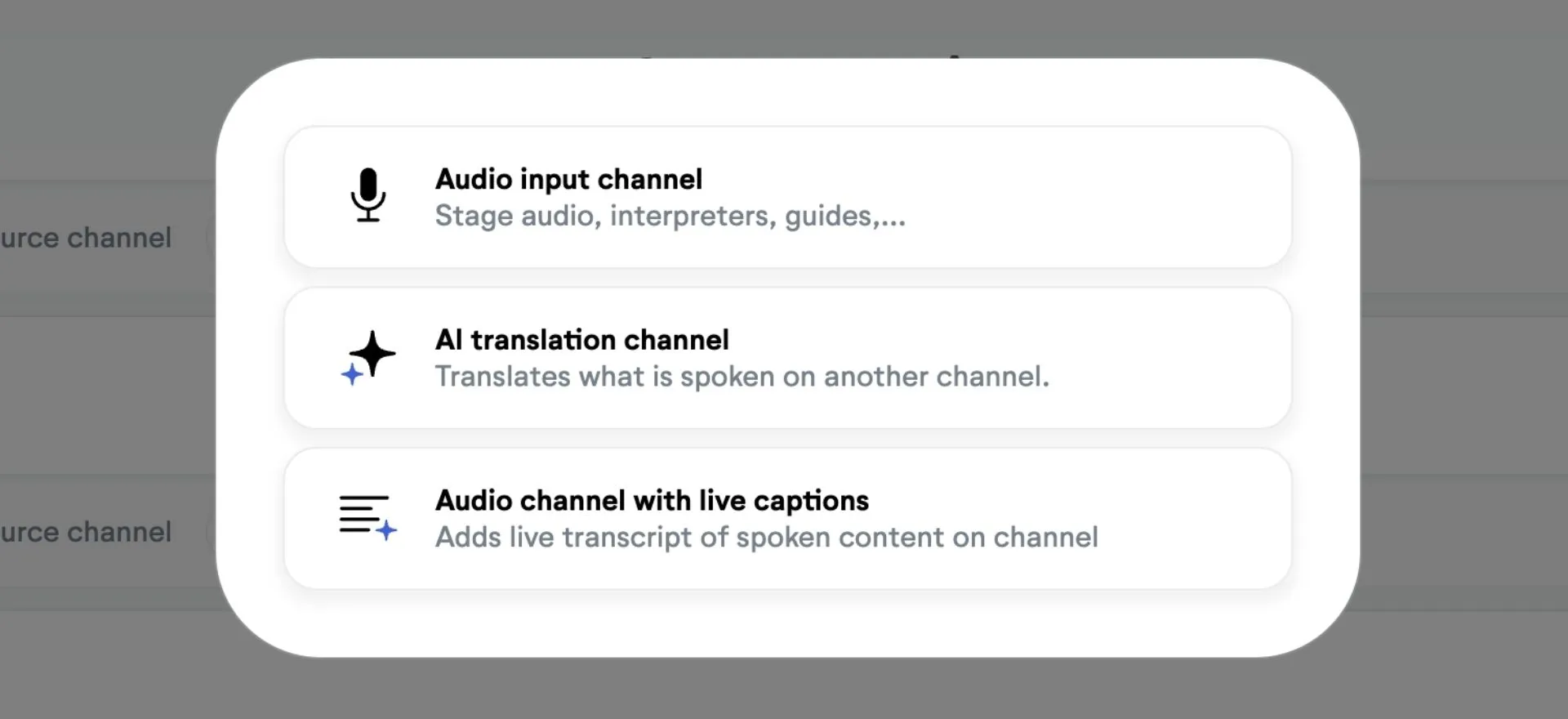
You can now choose between 3 channel types when creating a channel. This makes creating channels easier, since the right functions are set from the start. As before, you can still change all channel functions at any time.
- Audio Input: For Original Audio, Interpreters, Tour Guides etc.
- AI Translation: For Voice and/or Text translation channels
- Audio Input with Live Captions: To provide a live transcript of the channel audio
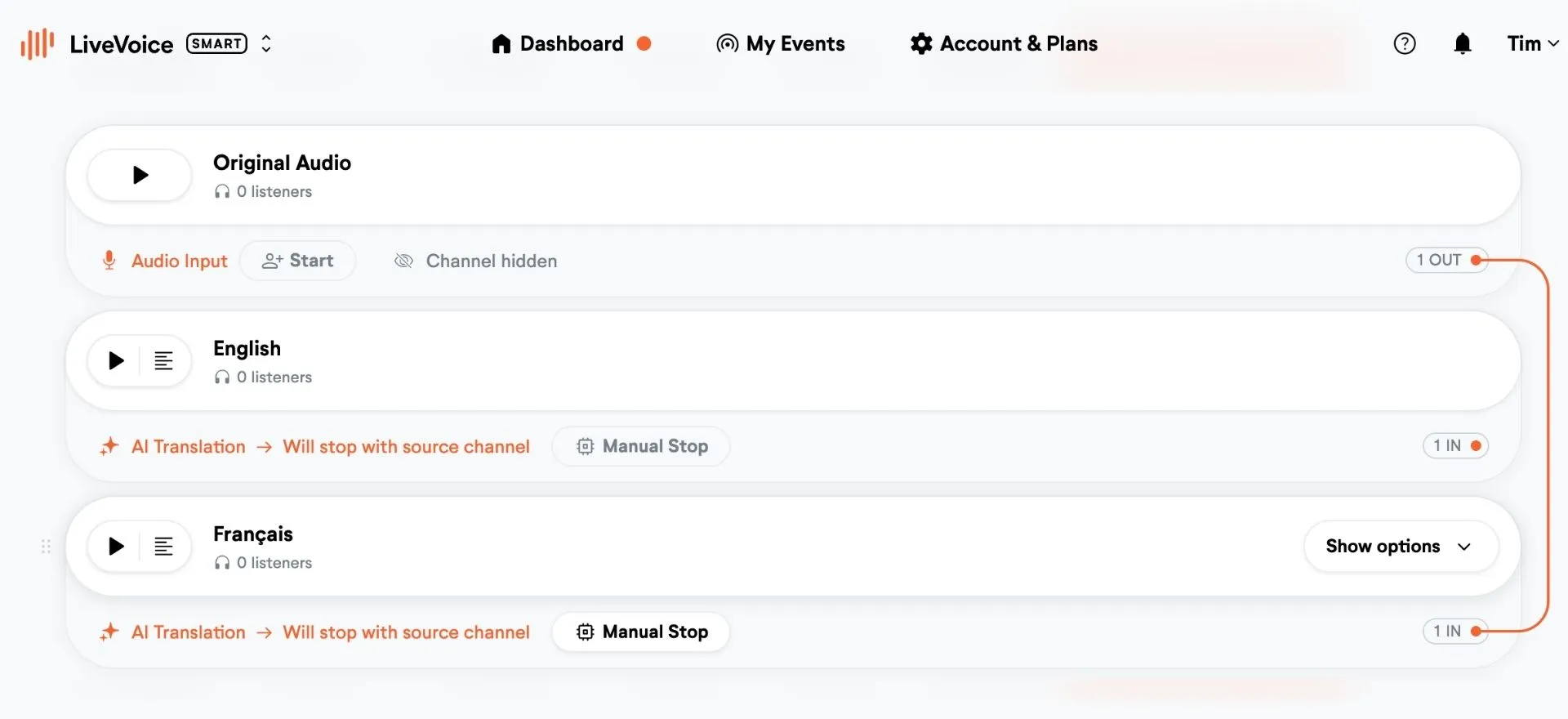
In addition, the appearance of the channels and the display of activated features have changed. Lines now show you which channel is connected to which, so you can easily see how everything works together. Learn more.
AI Translation On Demand 💪
Get ultimate flexibility! If you are not sure which languages will be needed at your event, you can activate Language Requests. This allows participants to easily request languages in the app, which you can then approve either automatically or manually. Learn more.
Even more new AI features 🛠️
3 practical additional features for AI Translation and Live Captions:
1. AI Scheduling: Predefine start/stop times
You now have three options for starting and stopping the AI Translation. Next to Automatic start/stop with the source channel and manual start of each channel, you can now schedule when AI should start and stop. Learn more.
2. AI pausing via Voice Activity Detection - Cost Control
It sometimes happens that technicians forget to turn off the AI, which can lead to unnecessary costs. With Voice Activity Detection (VAD) the AI pauses when no speech is detected on the source channel for a certain period of time. As soon as speech is detected again, the AI resumes. Since this can take one or two seconds, the default pause is set to one hour, so the AI only pauses when it really makes sense. You can also set a shorter period if needed. Learn more.
3. Trigger AI Translation by participants
With this option, the AI will start in paused mode and will be only activated when someone is actually listening or reading, saving even more on costs. Note that this means the AI starts with a slight delay, but for customers who, for example, want to offer many languages but only pay for them when they are actually used, this option is a helpful solution. Learn more.
Linked Events & Event Groups 🔗
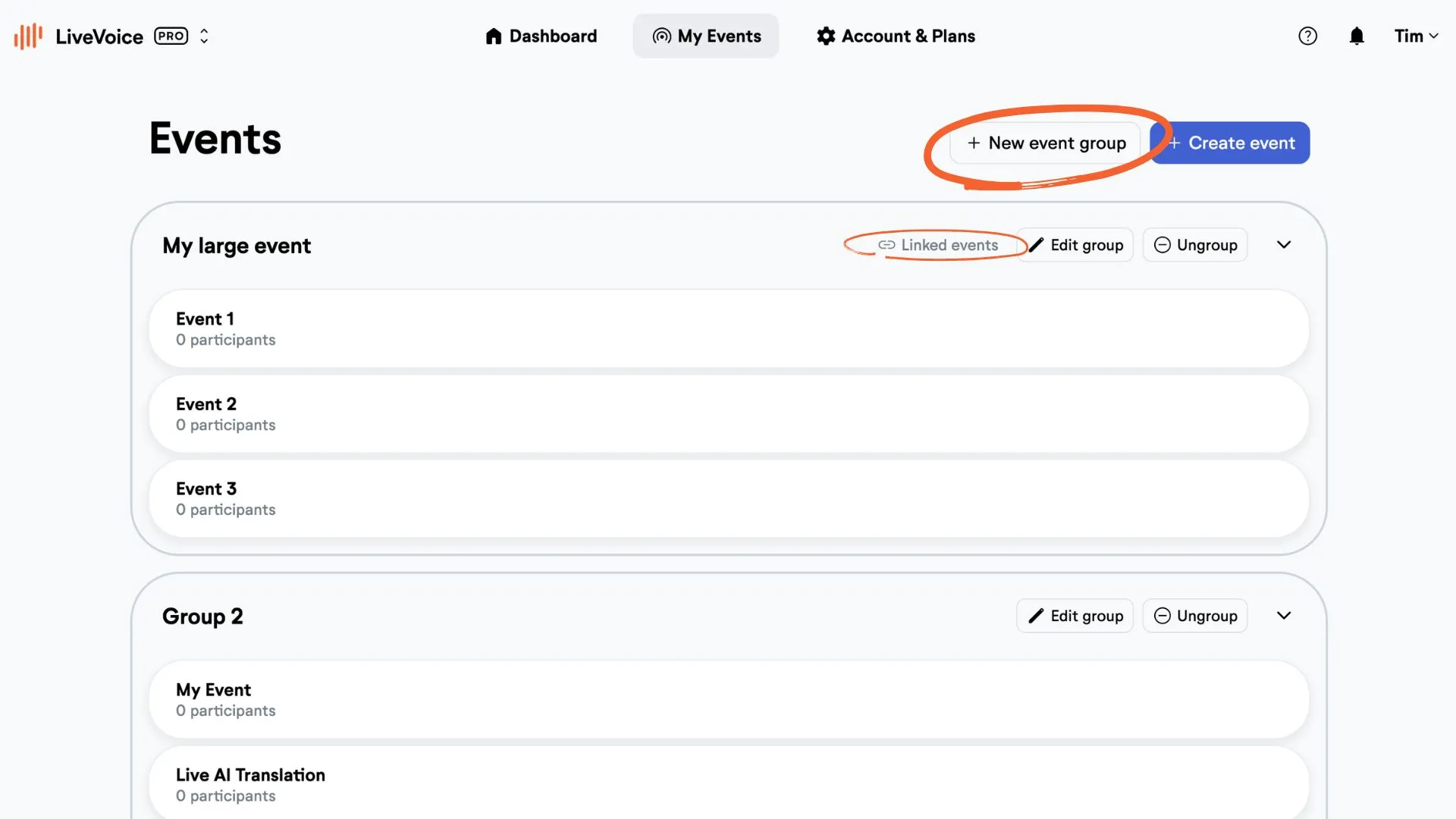
Do you have a large event with multiple stages? Then you can now group LiveVoice events together for easier administration and, most importantly, link them. In this way users can easily switch between events without having to scan another QR code. Learn more.
AI Pricing changes 💰
As mentioned earlier, we are now combining both types of AI translation: voice and text. Therefore, the price for both translation outputs is now the same. No matter if you are activating Voice or Captions for Translation, or both together, you will pay the same.
So now the two price categories are:
1. AI Translation: Voice and/or text
2. Live Captions: Live transcripts of original audio
Watch the update in action
With all these new features and updates, we believe we've taken your LiveVoice experience to the next level and, as always, we look forward to your feedback!