VAD: AI Cost Control by Voice Activity
It sometimes happens that technicians forget to turn off the AI, which can lead to unnecessary costs.
With Voice Activity Detection (VAD) the AI pauses when no speech is detected on the source channel for a certain period of time. As soon as speech is detected again, the AI resumes.
Since this can take one or two seconds, the default pause is set to one hour, so the AI only pauses when it really makes sense. You can also set a shorter period if needed, but be aware that the first few words after resuming might not be translated and therefore would also miss in the transcript.
AI channels that have been paused for more than 48 hours, and its source channel has been offline for more than 48 hours as well, will be stopped automatically.
Setup
VAD is automatically activated for all AI channels (Translation and Live Captions) that you create, with a default of 60 minutes.
If you want to turn it off or change the time after the AI will be paused, go to event settings and then to AI features.
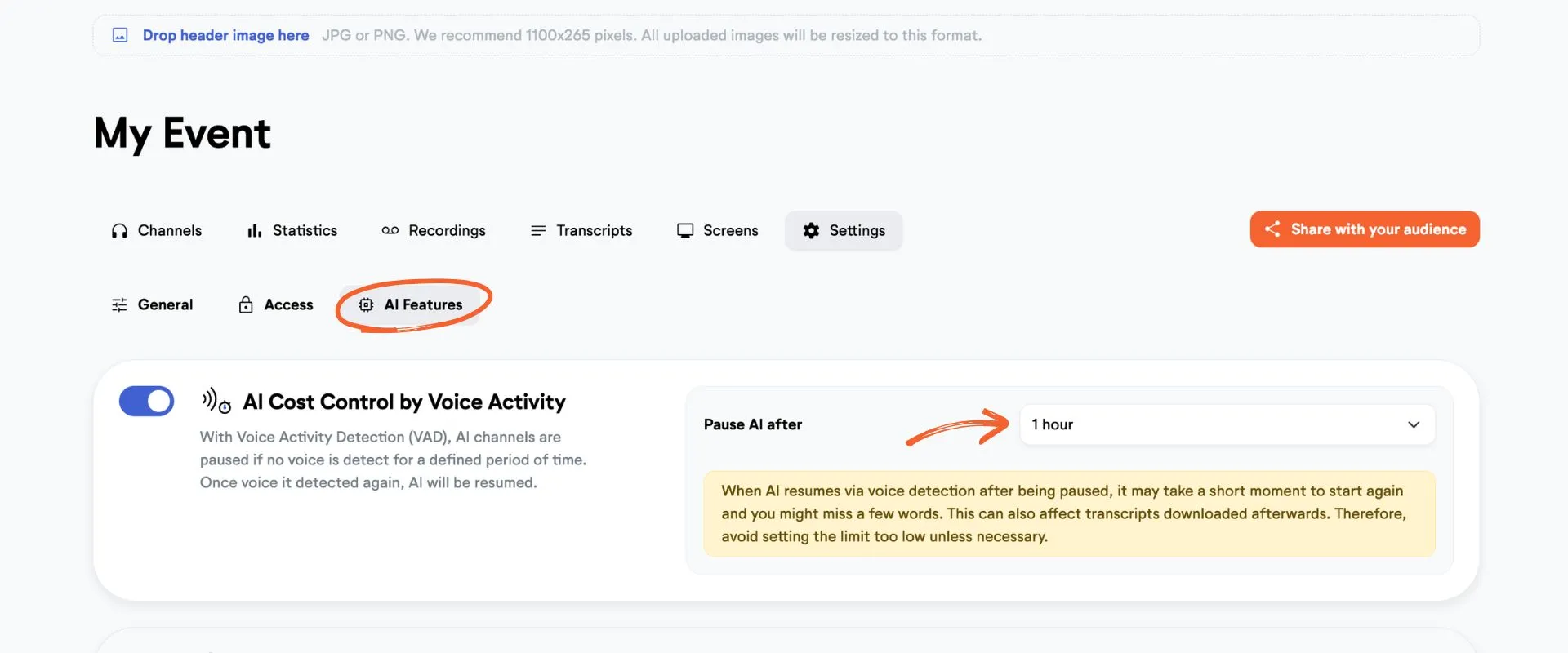
☝️ Note that this is only a safeguard. The admin/operator is still the one responsible for starting and stopping the AI. LiveVoice can not take responsibility for AI minutes unintentionally used.
💡 Good to know: When you change the time after which VAD pauses AI, this will take effect immediatly. You don't have to start the channel again for it to take effect. However, when you activate or deactivate VAD cost control in the event entirely, you have to restart the channels for it to take effect.