Linked Events & Event groups
Link events together so participants can easily switch between events.
With event groups you can do two practical things:
- 1.Structure your events: If you have many events in your account, for example because you are organizing events for different clients, you can use event groups to keep a nice overview of all events.
- 2.Link events for your participants: If you have for example a large event with multiple stages, you can create one event for each stage and then link them. In this way users can easily switch between events without having to scan another QR code.
Setup
- 1.On your events overview click on "New event group".
- 2.Drag and drop all events into this group as needed.
- 3.Activate the "Link events" toggle if you want the events to be shown as linked for participants.
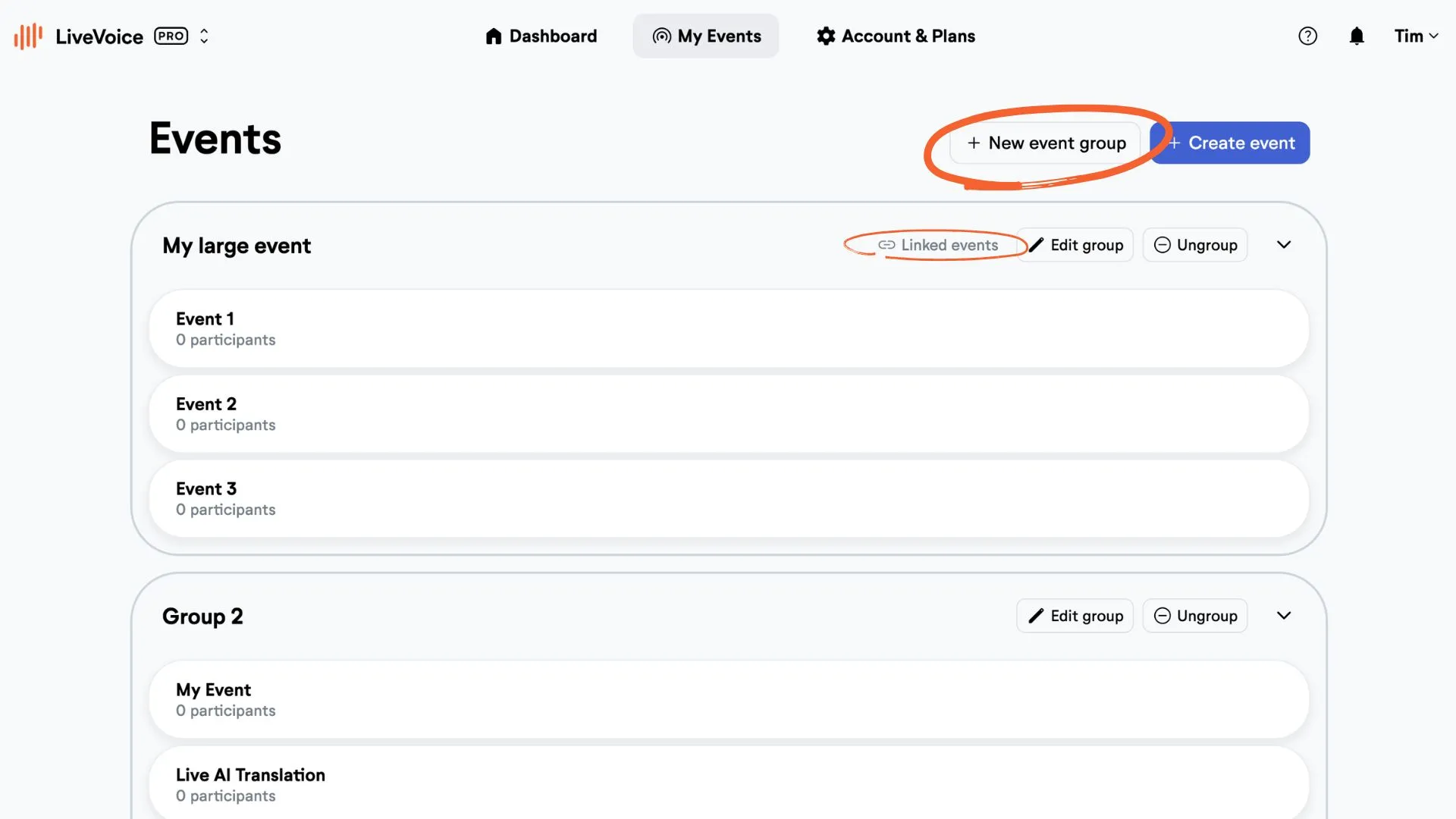
You can ungroup events any time.