Channel password
Available with: PLUS
You can set a separate password for each channel of your event. Participants then need to enter this password before they can open that channel, whether they listen to audio, watch video or read captions. You can use a channel password on its own or in addition to the participants password for the whole event.
Channel passwords only apply to participants. To control who can stream on your channels, use the speaker password.
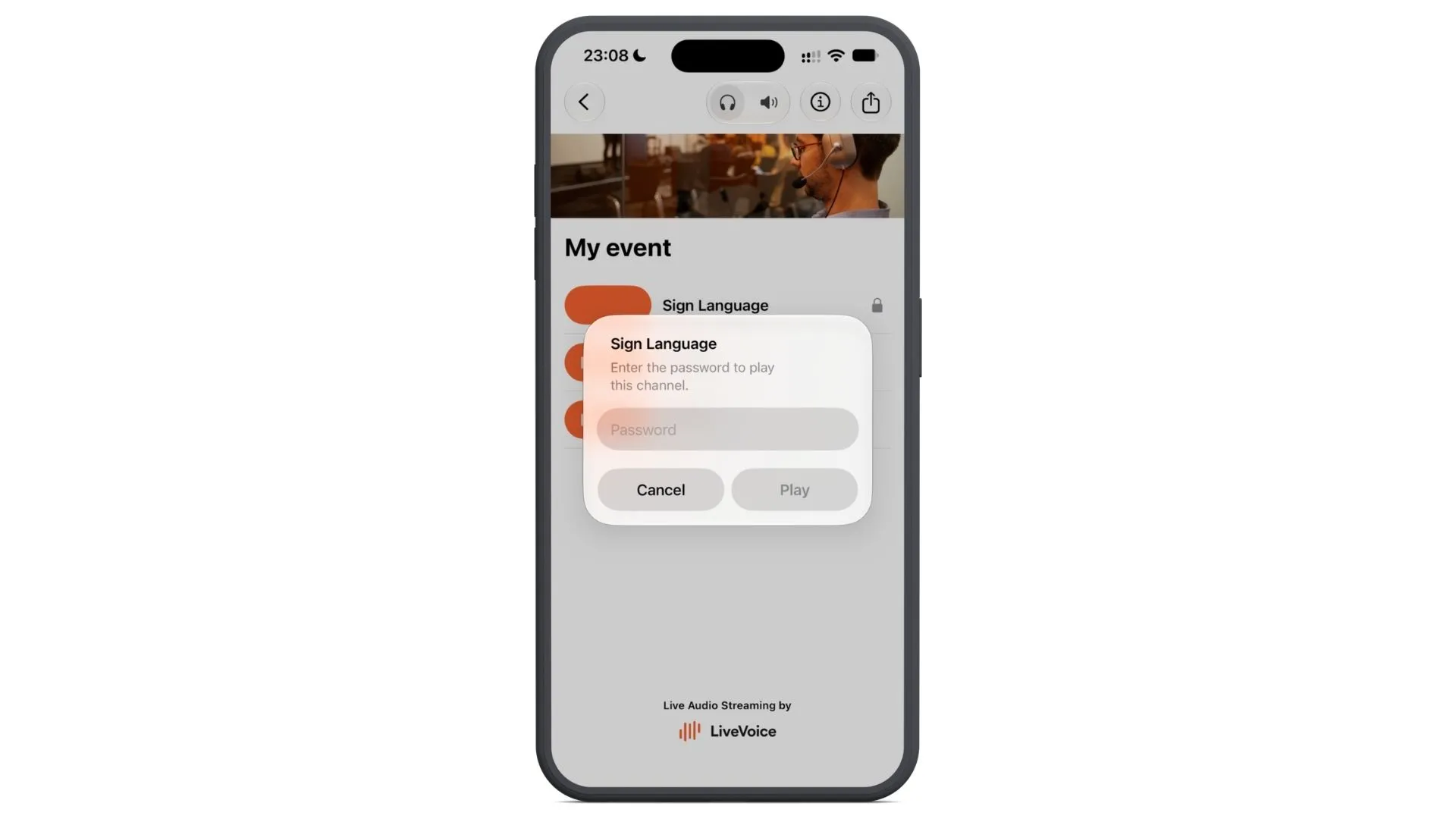
Example: Sign language video channel
Some events offer a video channel with sign language interpretation. Video needs much more internet bandwidth than audio. If many people open the video channel who don't need sign language, it might use up a lot of the venue's internet connection.
With a channel password, you share access to the video channel only with the participants who use sign language. Everyone else joins the event and the other channels as usual.
Setup
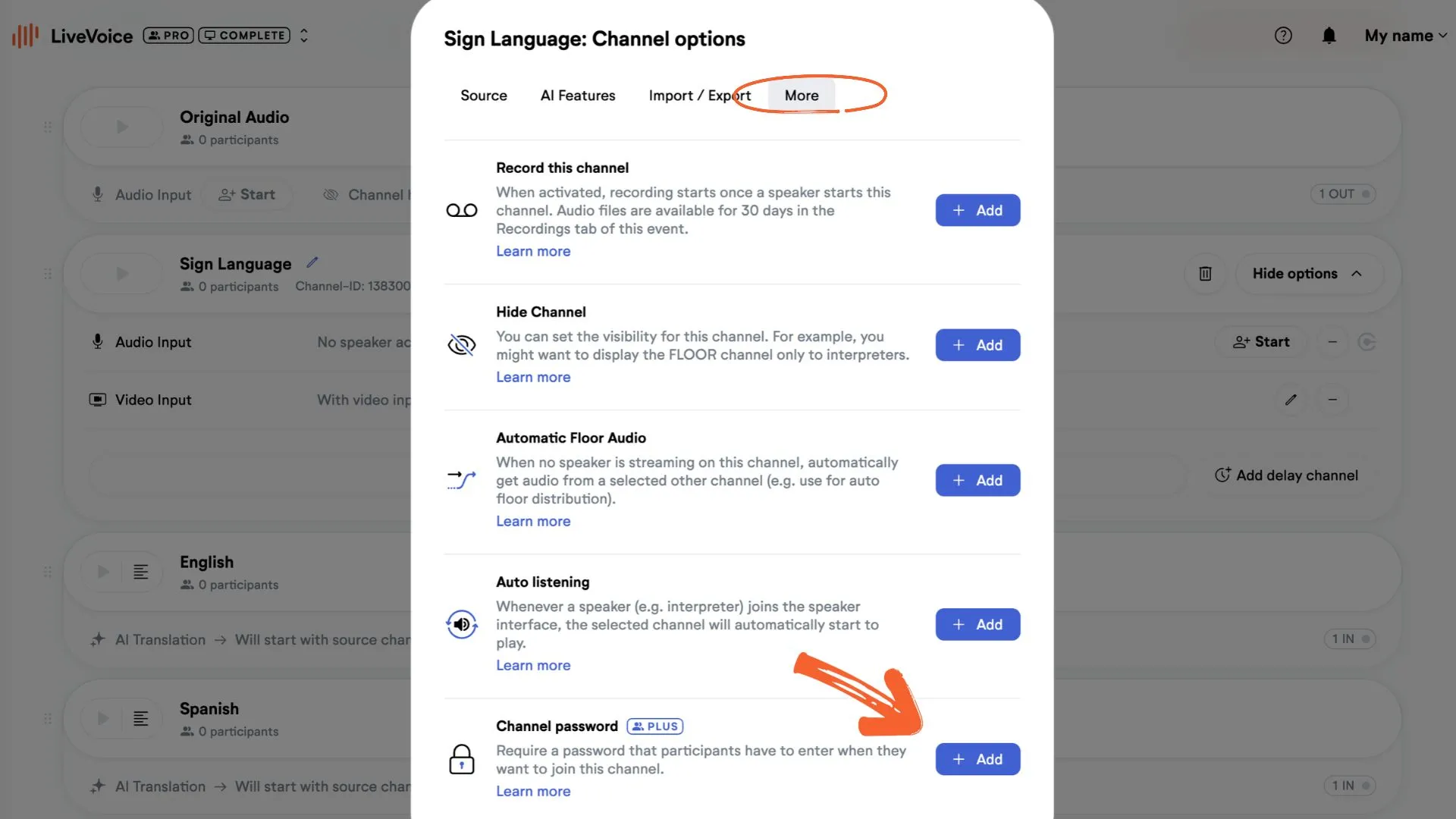
Step 1: Click "Show options" on the channel you want to limit access to.
Step 2: Click "Add feature."
Step 3: Open the "More" tab, turn on the channel password and set a password.
Now, when someone opens this channel, they are asked to enter the channel password.
Using both an event and a channel password
If you set both, participants first enter the event password when they join your event. They then see all the channels of the event. They're only asked for the channel password when they open a channel that has one.
This is a PLUS feture. If you'd like to use it contact our support team.
Frequently asked questions
No. You can use both. Participants enter the event password when they join the event, and the channel password only when they open that channel.
All participants who open the channel: listeners, viewers and readers.
No. For speakers, use the speaker password.
The channel password feature is a PLUS feature. Please contact our support team if you'd like to use it.