Live video for sign language
Available in PRO plans as PLUS feature
With LiveVoice you can send video in real time to sign language interpreters who can work anywhere in the world. The interpreters send their video back in real time, so hearing impaired attendees can watch it live on their own devices or a big screen.
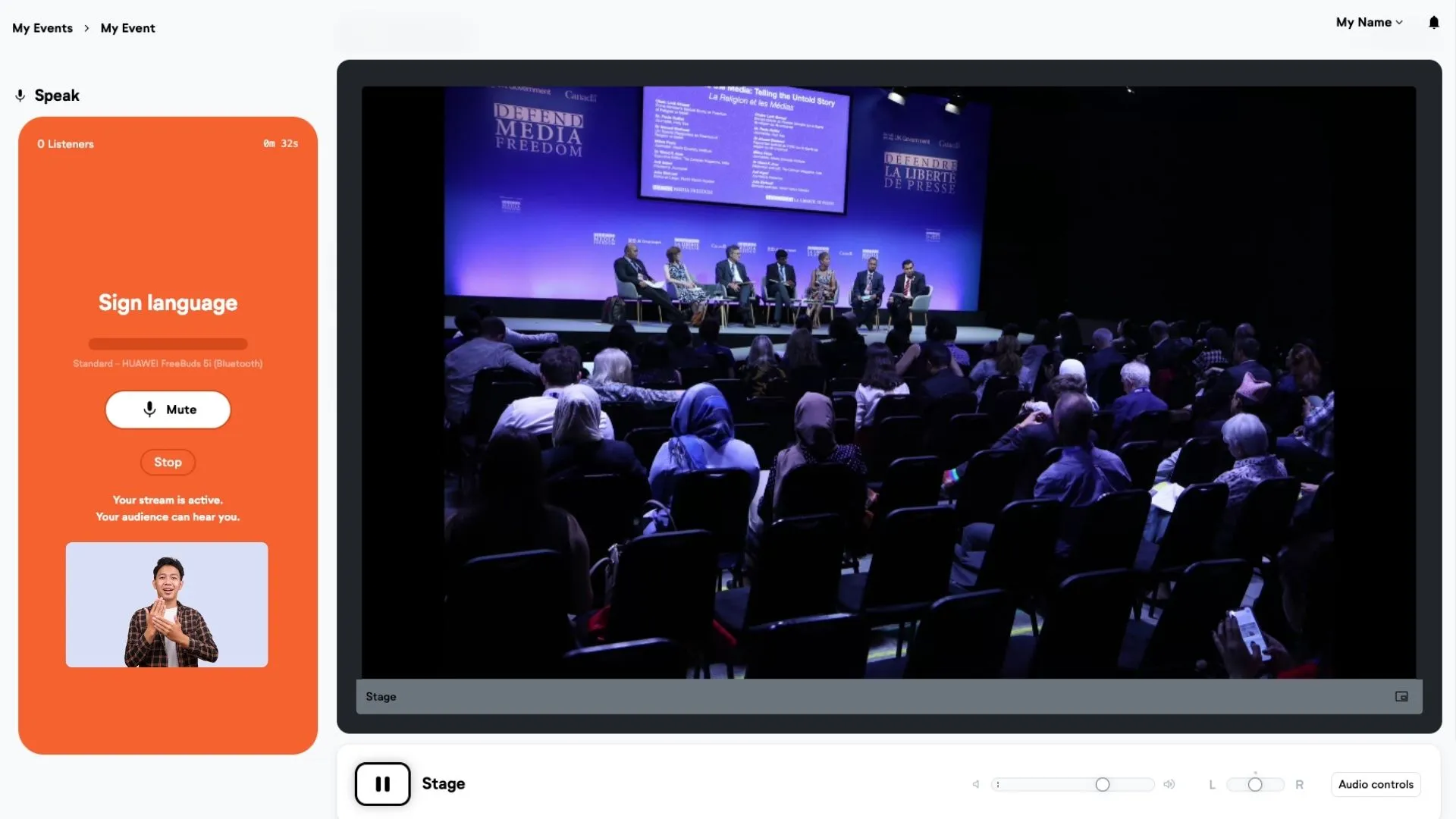
Setup
1: Activate video option for the floor channel and the interpreter channel
Go to "+ Add feature" for each channel you want to use for video.
Under the "Source" tab, enable the "Video Input" feature.
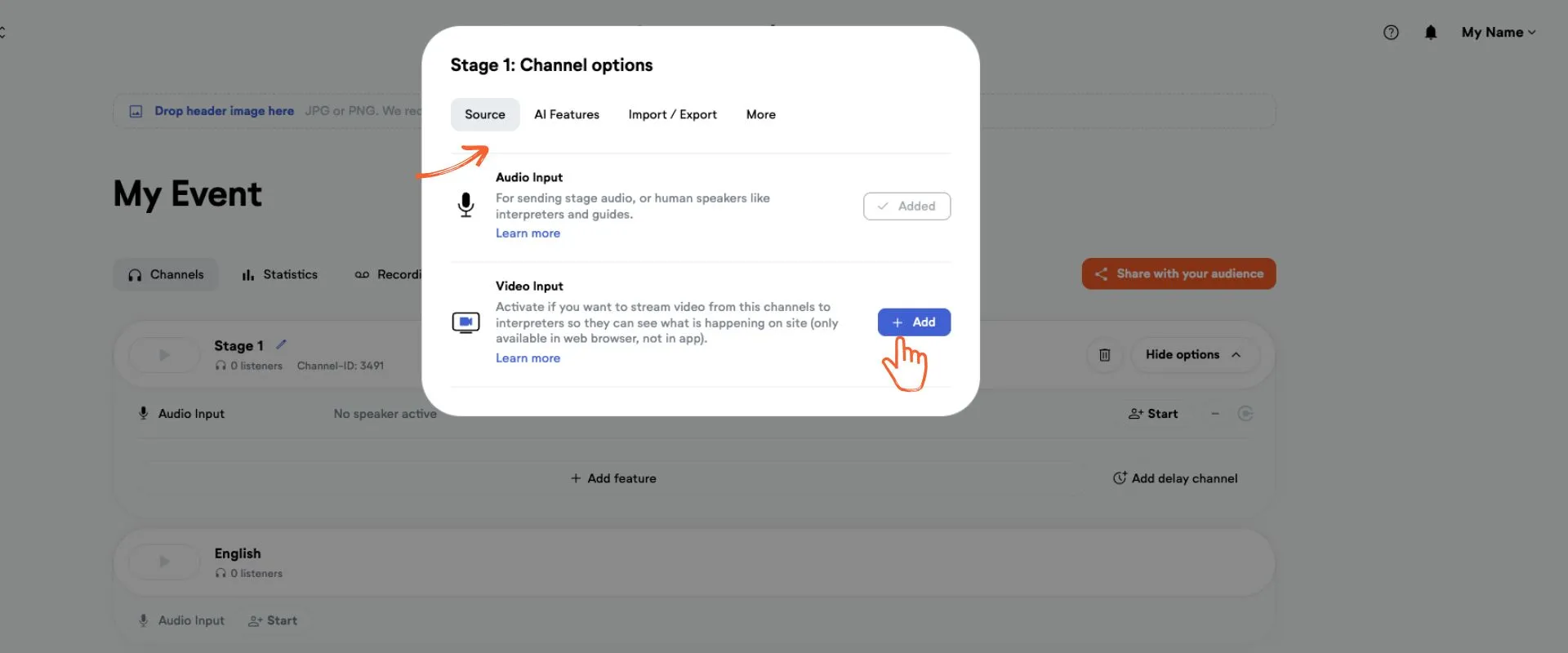
2: Open video channel in web browser
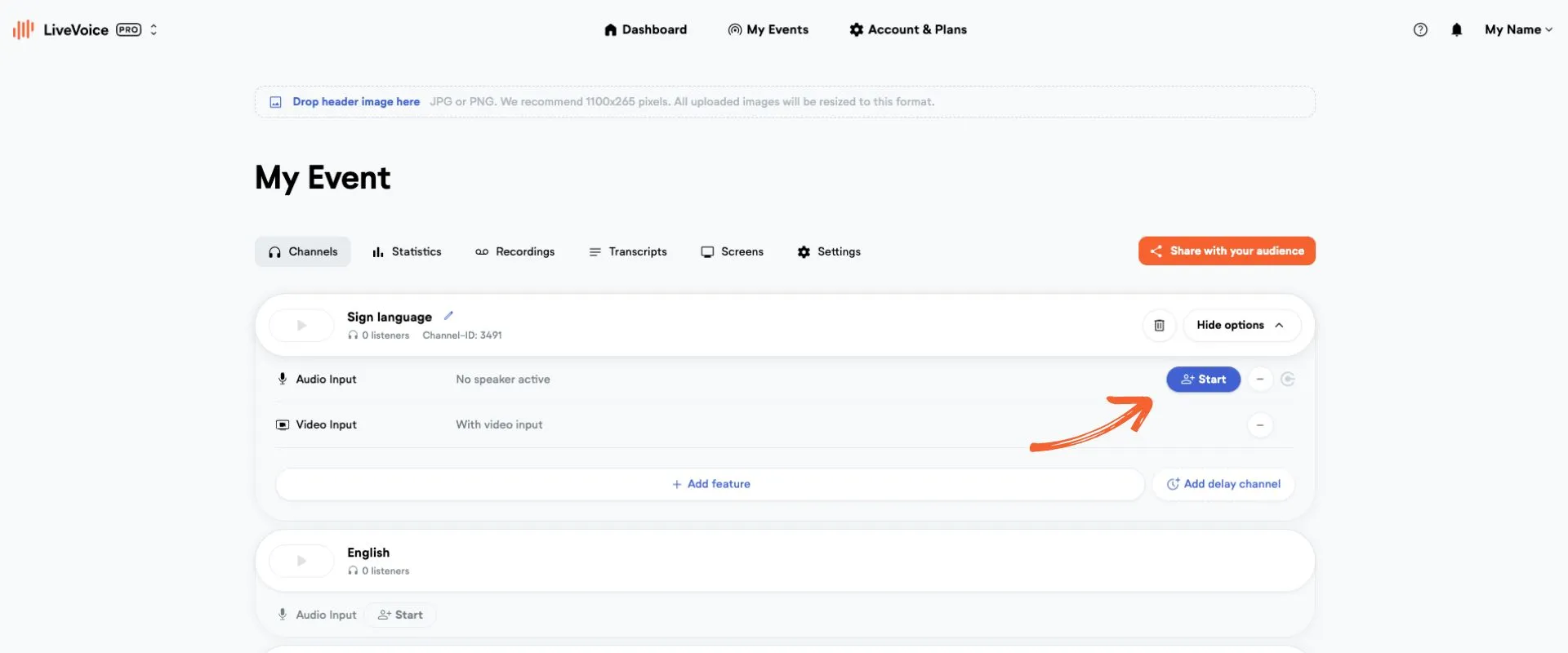
Share the speaker link of the video channel with your AV technician. You find the speaker link as admin under "Start". With this link or the code, the AV technician can join on the computer that is used to send the video from the location.
Do the same with the interpreters channel, so the sign language interpreters can send their video.
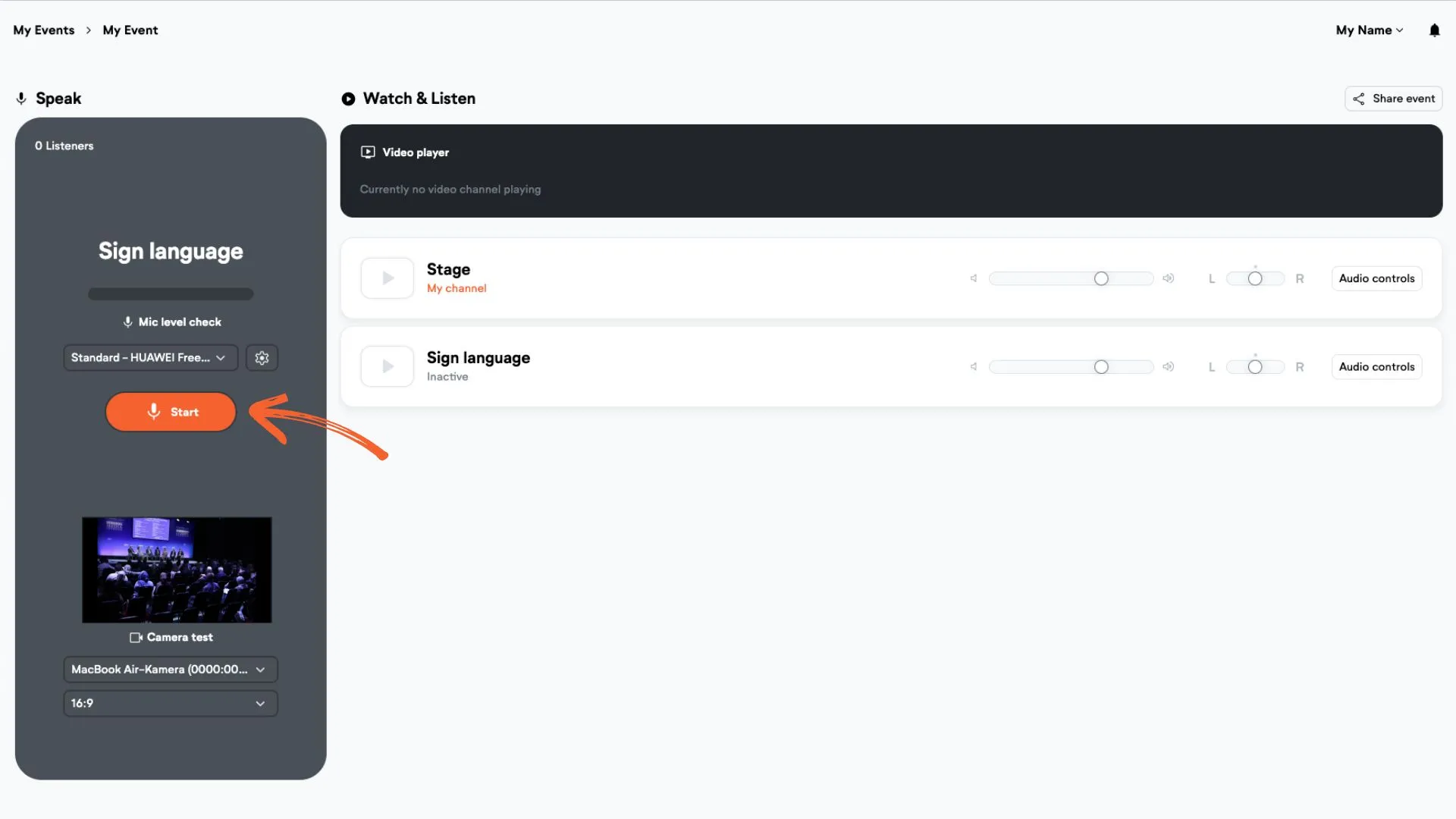
3: Start streaming the stream from the venue
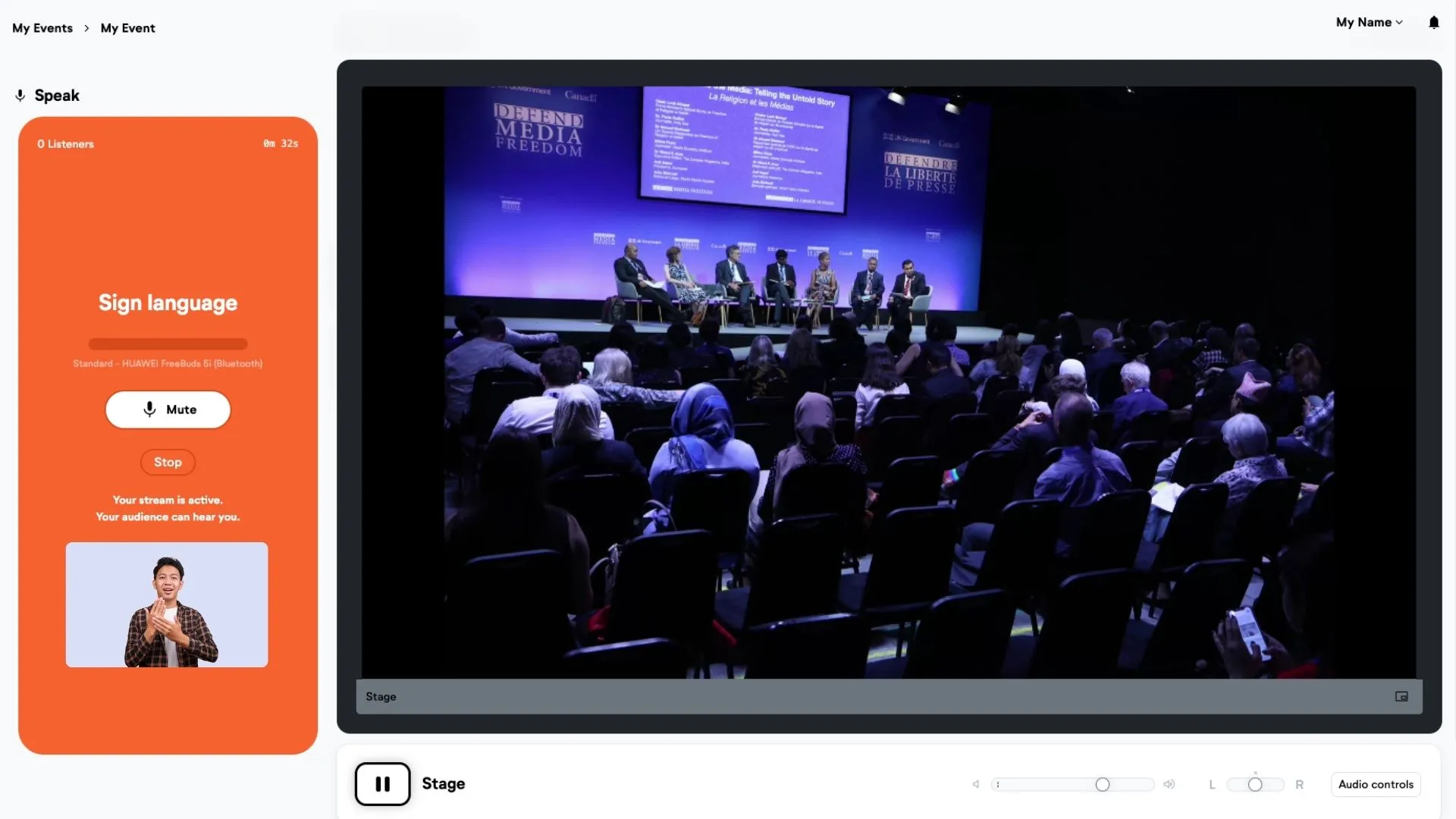
On the computer used on site, choose the right video and audio input. The video preview will be displayed in the bottom left corner. Then hit “Start”. When the interface turns orange you are live.
4: Interpreters start channel
When interpreters log in to their interface, they can now click play on the play button. The video will be displayed on the top of their page.
Then they start sending their stream by clicking "Start".
5: Attendees watch video
Adapt the following link by inserting the 6-digit speaker code of the interpreter channel instead of xxxxxx https://livevoice.io/en/streaming/video?code=xxxxxx
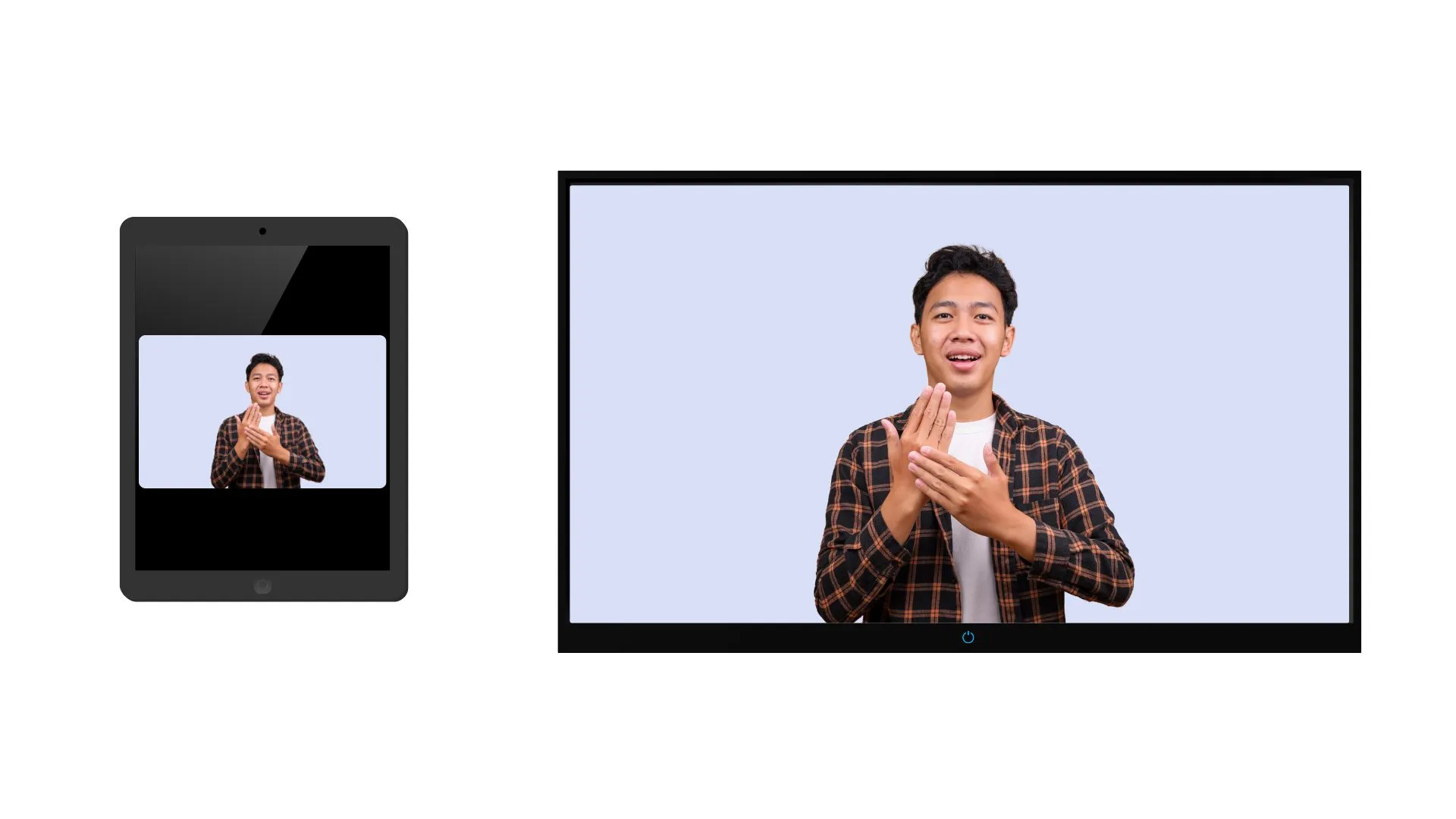
Open this link on the computer you want to show on the large screen or provide the link to the attendees who need sign language interpretation, so they can open it on their mobile device.
Note: If you want to use this PLUS feature contact our support team at hello@livevoice.io