Participants password
Protect access to your event with an additional password for participants.
Available in: LIGHT, SMART, PRO
In some cases, you may want to add an extra layer of security to your event. This is why you can optionally add a password for participants which they have to enter additionally to the 6-digit code or link.
Setup
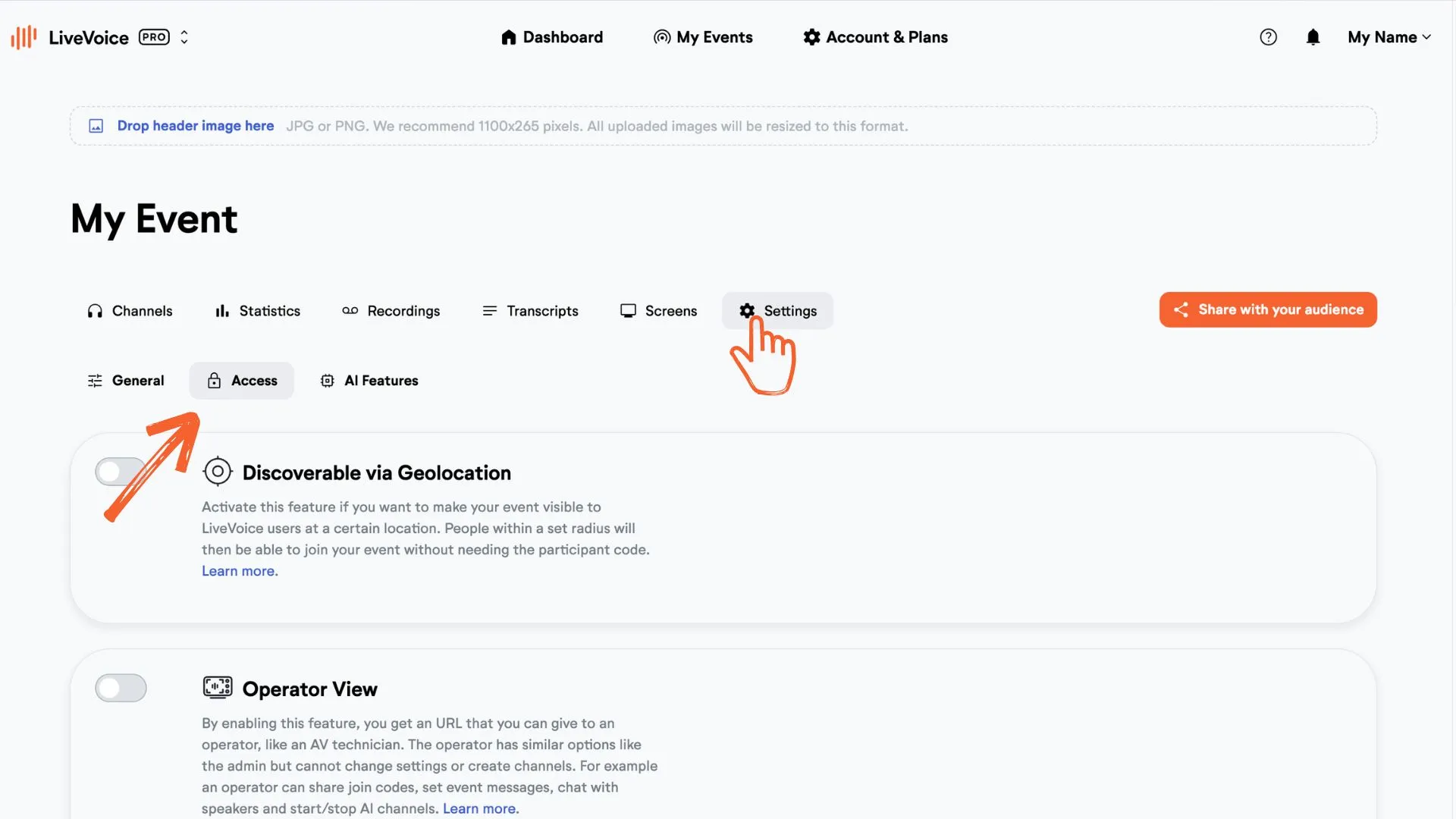
Step 1: In your admin account "Settings" go to the "Access" tab of your event.
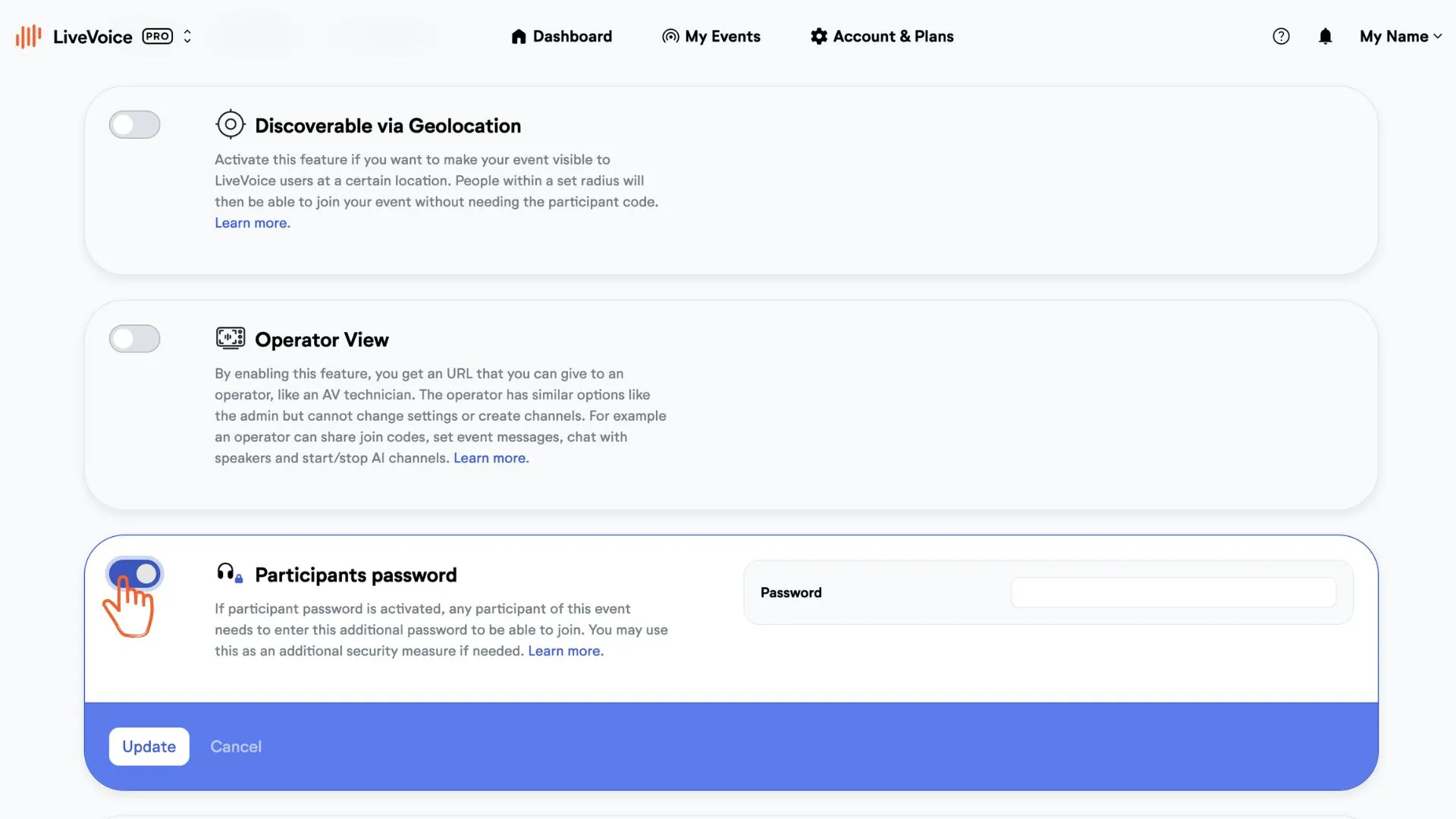
Step 2: Opt in and create a password for event participants.
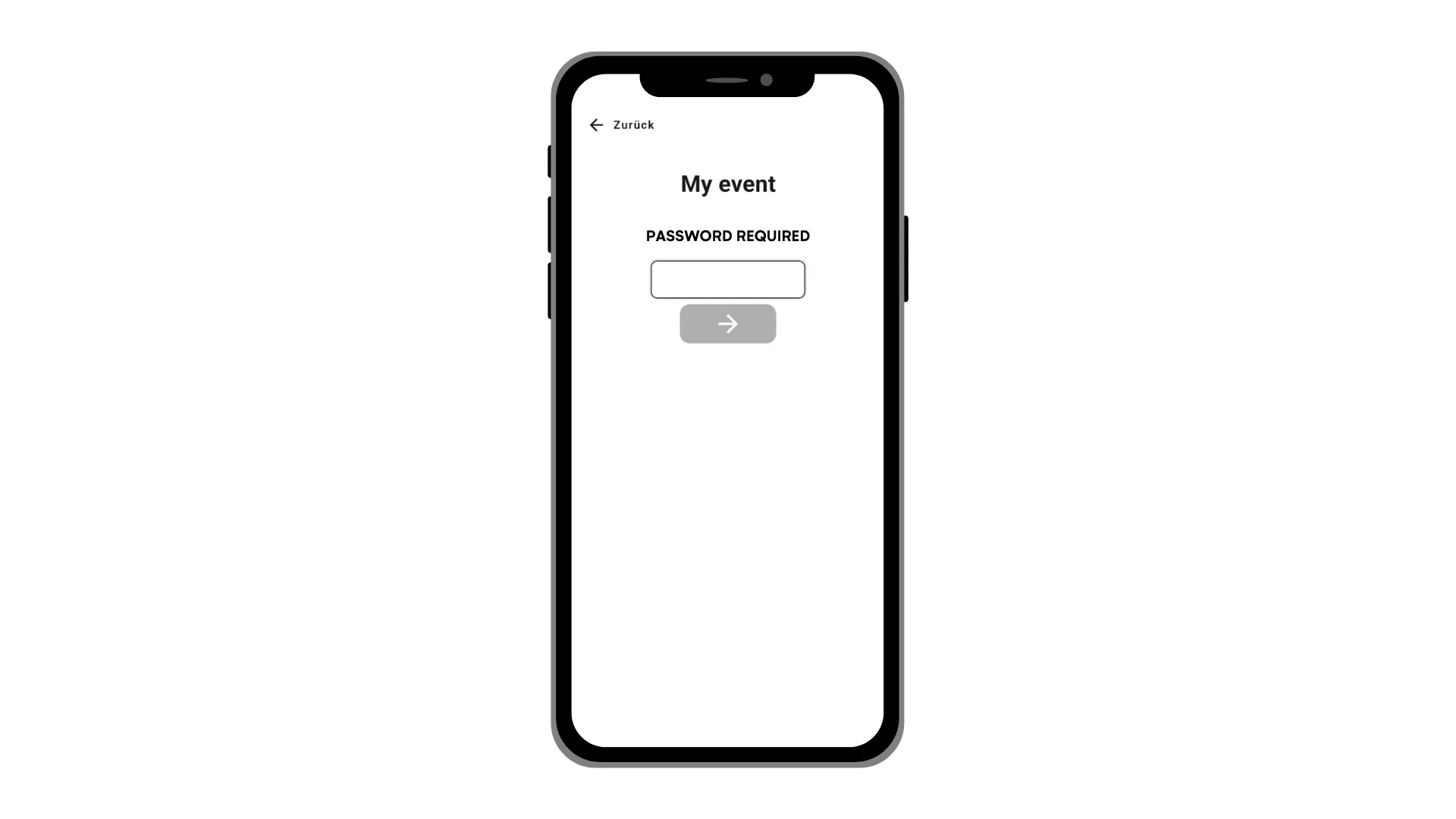
Now, if someone wants to join your event, he will be asked to enter the password.
With a SMART or PRO account you can also set a password for speakers.
With a PRO account you can even provide individual access codes.