Fix your streaming audio quality issues
Poor audio quality and connections drops are almost always caused by factors outside LiveVoice. Work through the following checks to narrow it down.
Step 1: Disable browser audio processing (web only)
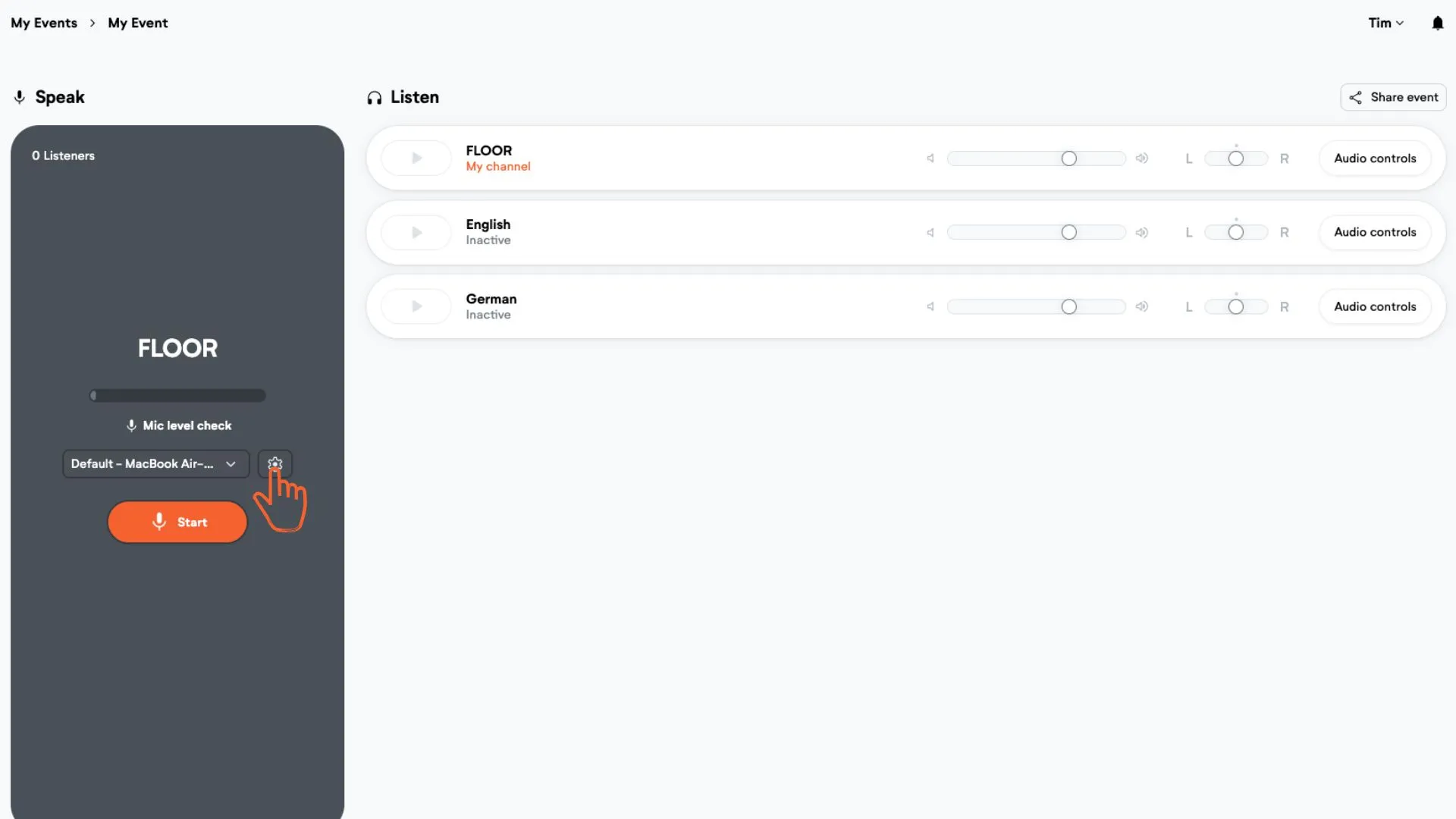
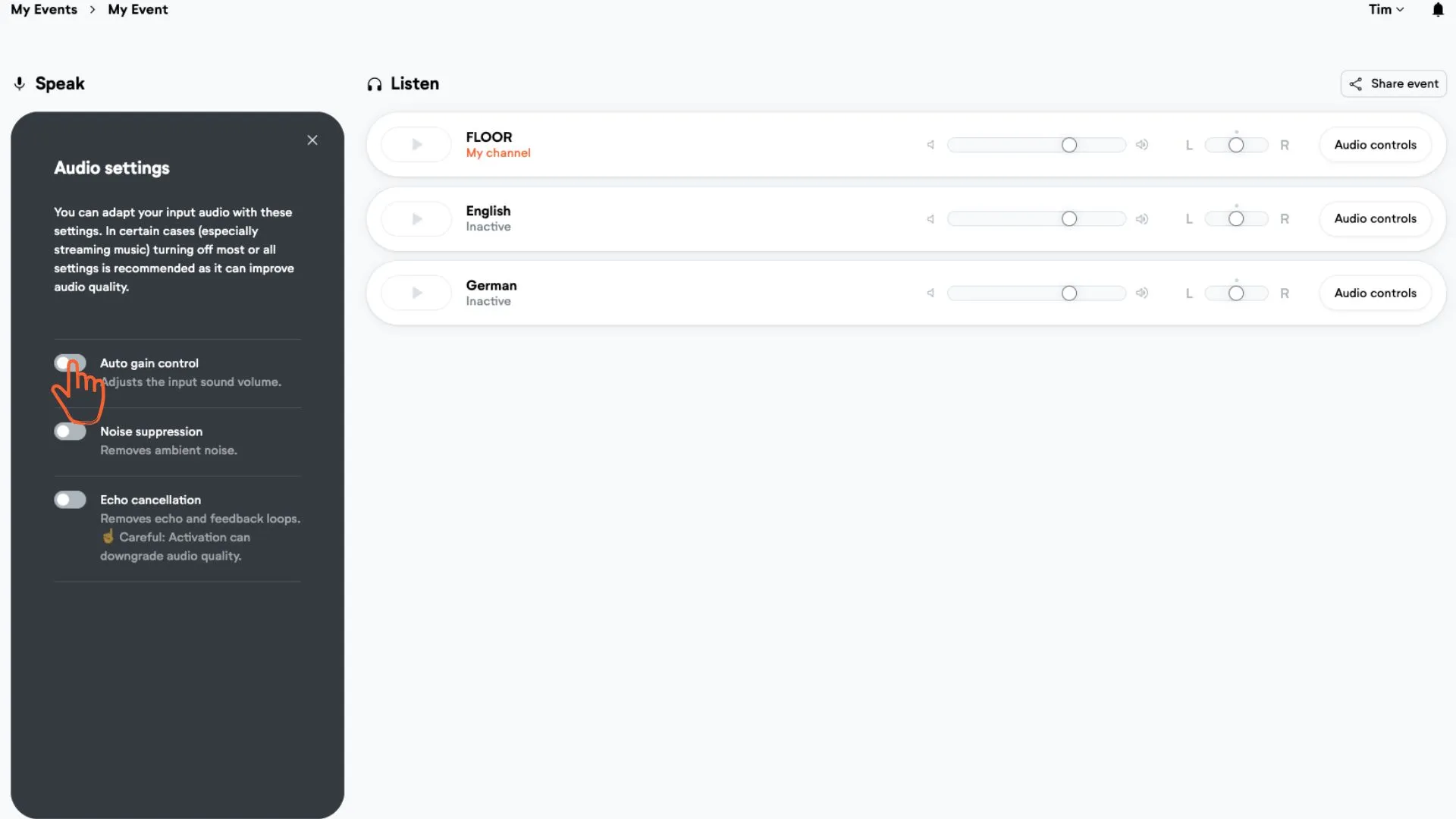
Turn off auto-gain-control, noise-suppression, and echo-cancellation in your browser's audio settings. These are on by default and can distort the signal.
Check whether the quality changes after disabling them.
Step 2: Try a different input device (web only)
Switch to a different microphone — your laptop's built-in mic instead of an external one, or vice versa. If the quality changes, the issue is with the original input device.
Step 3: Test a different network connection
Try streaming on a different connection: switch from WiFi to a cable, or from a cable to mobile data. If quality improves on one connection, the issue is network-side.
Step 4: Try a different browser (web only)
Open the stream in Chrome, Firefox, or another browser. If one browser sounds noticeably better, the issue is browser-specific.
Step 5: Test on a different operating system
Try streaming from a different device or OS (Windows vs. Mac, for example). A quality difference between them points to an OS-level audio issue.
Step 6: Switch the ingestion method
Change how audio gets into LiveVoice — try the web app, the mobile app, or Patchbay. If one method sounds better than another, that tells us where the problem sits.
Still seeing issues? Fill in this form and our tech team will take a look.
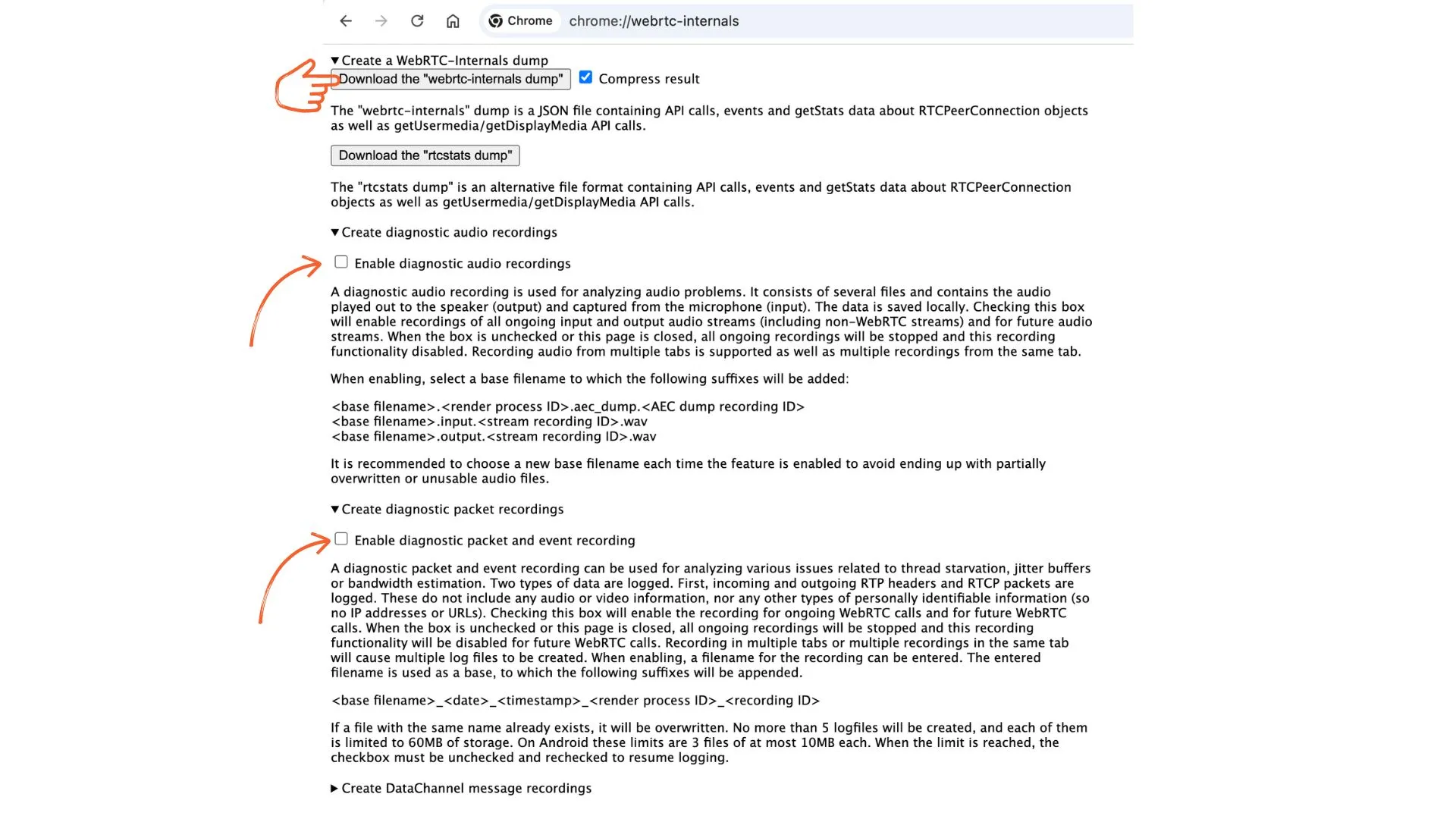
Optional: Collect a WebRTC dump while the problem is happening.
Do this while the audio issue is actively occurring — the data only captures what's happening in real time.
In Chrome, open a new tab and go to chrome://webrtc-internals. Click "Download the "webrtc-internals" dump" file. Enable "diagnostic audio recordings" and "diagnostic packet and event recording". To reduce the amount of collected data, this should only be done when the problem occurs (the problem should be captured as precisely as possible).
Attach all files to the support form.