Handover: Switching between speakers
As you need usually two interpreters per language, switching between speakers without interruption for the audience is a typical need for simultaneous interpretation. Especially for Remote Interpretation (RSI) a quick and easy handover is crucial. But also for tour guides it can be helpful to take turns in a simple way.
This is why LiveVoice has 2 options how to switch between speakers.
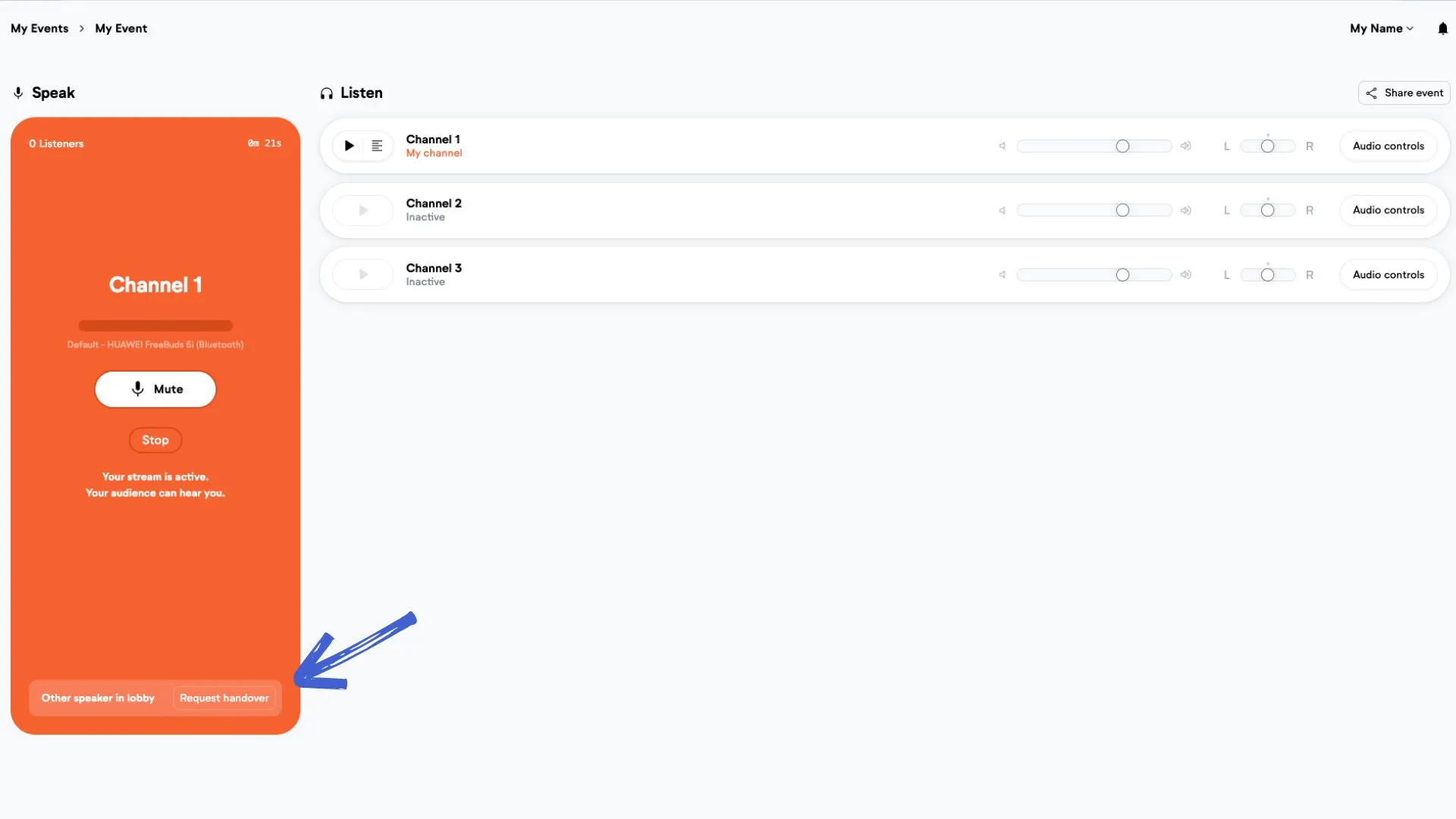
Option 1: Handover
If you are the active speaker, you can "request a handover" to the other speaker. The other person will be notified and can accept or decline.
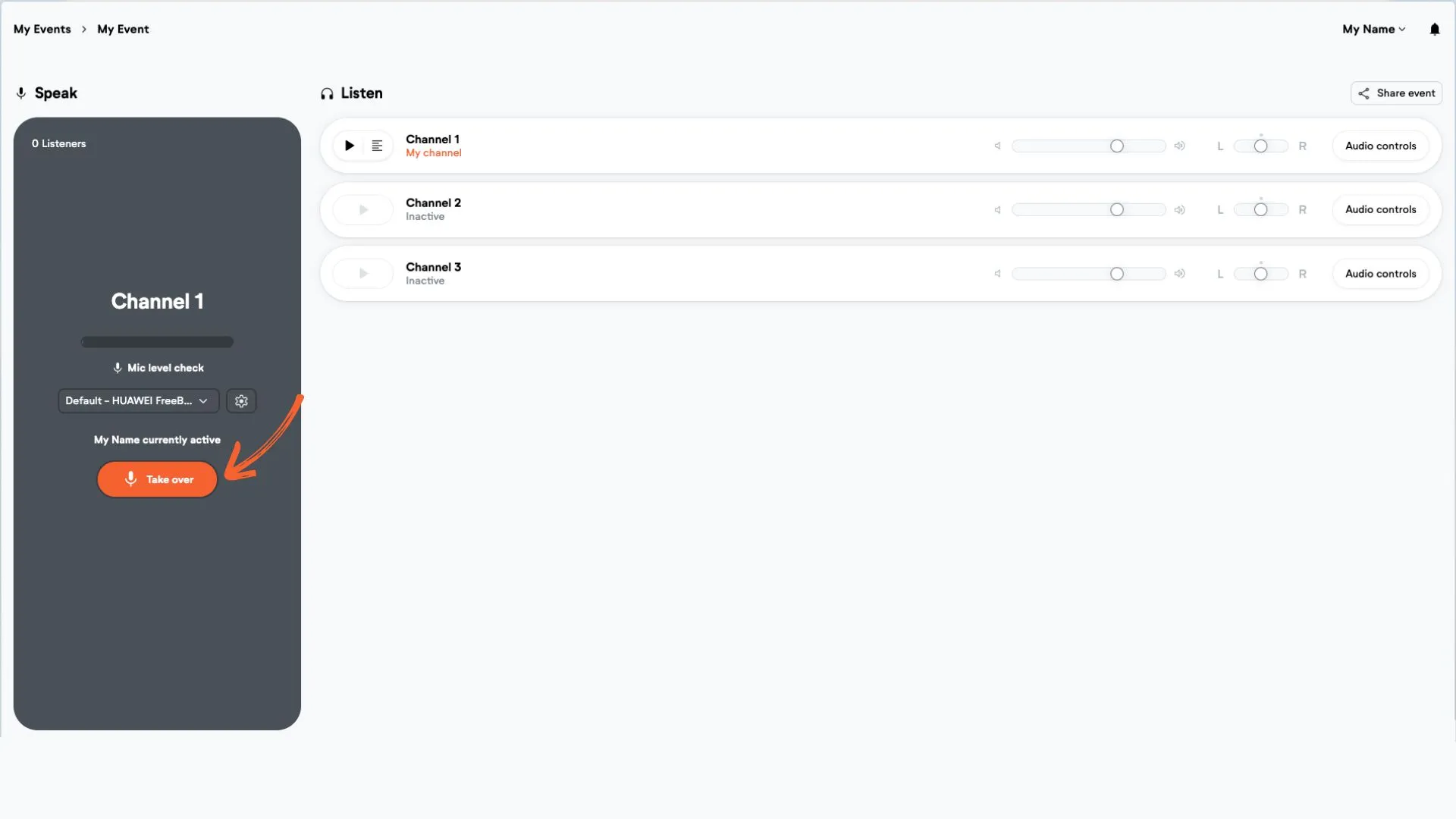
Option 2: Takeover
If you are the inactive speaker, you can force "take over" the channel from another person.
Can several speakers join the same channel?
Yes. Several speakers can join the same channel with its speaker code or smart link. Only one speaker is active at a time. The others wait in the speaker lobby, can listen to the channel, and use handover or takeover when it's their turn. For example, a team of interpreters who take turns, or presenters who follow each other.
Several people speaking at the same time
If several people need to speak at once, for example in a panel discussion, connect all microphones to a sound desk or audio interface. Then select it as the speaker input in LiveVoice. LiveVoice still has one active speaker, but everyone on stage is heard through that channel. Learn more about getting audio into a device.
Good to know
- While the other person is speaking, the inactive person can listen to the channel.
- There can never be two speakers active at the same time, so you are safe. When you see you are active (orange) you can be sure it is you that will be heard and no one else.