SDK: Add LiveVoice to your mobile app
The SDK is designed for event apps, conference apps, venue apps, and other mobile products that want to offer live participation as part of their own experience.
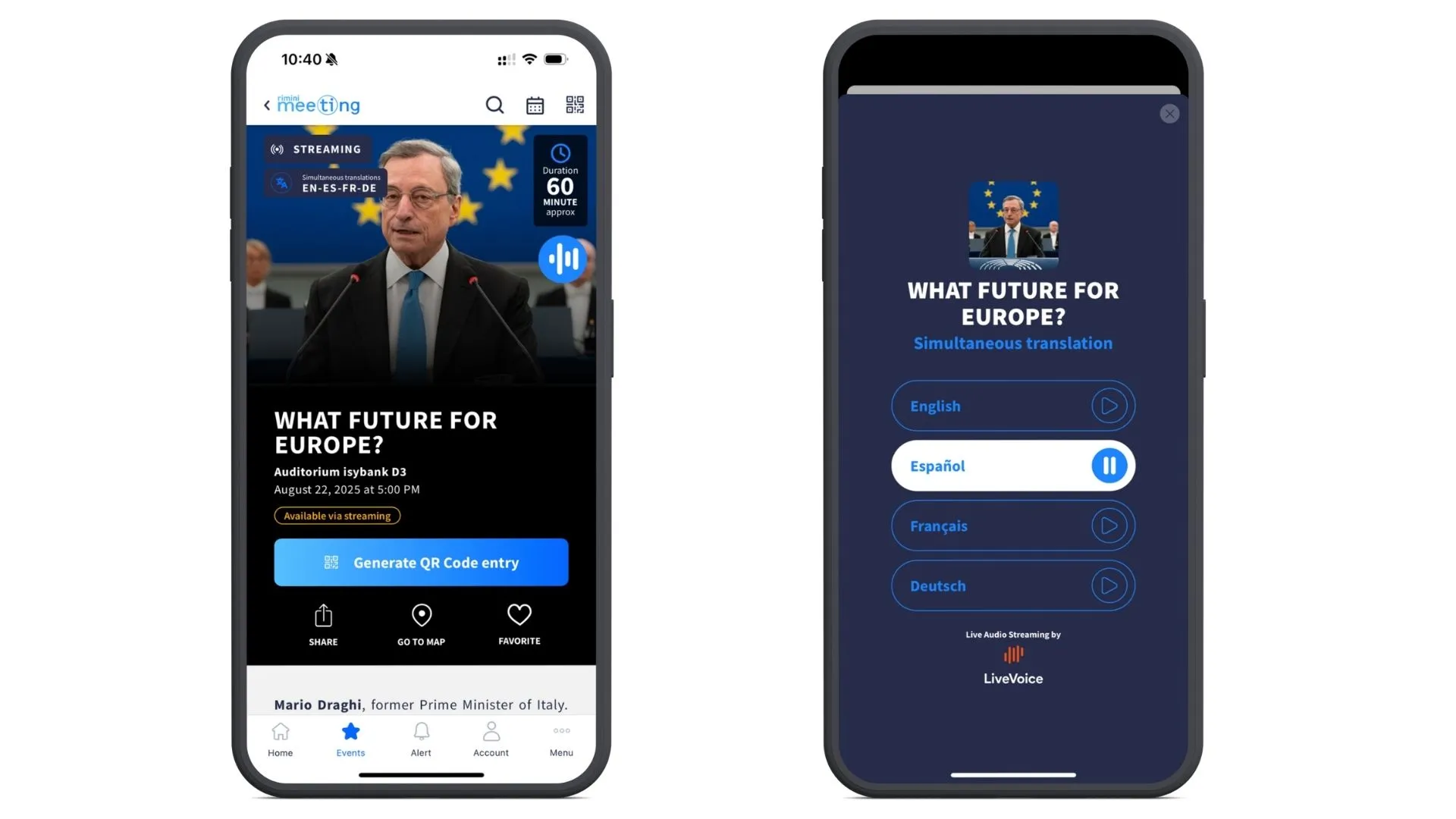
What You Can Build
| Feature | What it enables |
|---|---|
| LiveVoice inside your app | Add LiveVoice participation directly to your existing mobile experience. |
| Channel and subtitle choice | Let participants choose the audio channel or subtitle option they need. |
| Live audio | Provide live event audio without sending participants to another interface. |
| Live subtitles | Let participants read along with live subtitles inside your app. |
| Multilingual events | Support events with multiple languages, audio channels, and subtitle options. |
| Easy evaluation | Try the SDK with a demo event or with your own event in the public example apps. |
| Channel control and presentation* | Decide which channels are available and how they are presented in your app. |
| App-matched design* | Adapt the experience so it feels more integrated with your own app. |
| Flexible presentation* | Choose between a standard LiveVoice experience, hidden branding, or custom channel presentation. |
* Requires the corresponding SDK permissions to be enabled for your account.
Presentation Options
Standard Presentation
Use the standard LiveVoice participant experience inside your app. This is the fastest way to add LiveVoice to a mobile product while keeping the experience familiar and ready to use.
Standard w/o LiveVoice Branding
LiveVoice branding on the standard presentation can be hidden when this option is enabled for your account. The participant experience remains in the LiveVoice standard look, but without the "powered by LiveVoice" logo.
This option requires the corresponding permission.
Custom Channel Presentation
For deeper integration, your app can control how channels are shown and how participants move through the available options. LiveVoice still provides the event, audio, and subtitle behavior, while your app shapes the channel presentation.
This option requires the corresponding customization permission.
Supported Mobile Platforms
The LiveVoice SDK supports mobile apps running on iOS and Android, built with Swift, Kotlin, React Native, or Flutter.
Minimum requirements for the SDK:
- iOS (Swift): iOS 15+
- Android (Kotlin): Android 6.0+ (API level 23)
- React Native: 0.80+ (iOS 15.1+, Android 7.0+ / API level 24)
- Flutter: 3.41+ (iOS 15+, Android 6.0+ / API level 23)
Access And Pricing
The SDK is built for participant experiences inside mobile apps. Speaker and broadcasting workflows continue to use the existing LiveVoice tools.
SDK access and customization require the corresponding permissions to be enabled for your LiveVoice account.
Contact us to enable SDK access for your account, discuss branding and customization options, and review pricing.
Getting Started
The public example apps are the best place to start. They show working integrations for Swift, Kotlin, React Native, and Flutter, with a platform guide for each stack. Open the examples on GitHub, then choose the guide for the platform you use.
The examples include a demo event for quick testing. They also let you enter your own event code, API key, and optional password, so you can try the SDK with one of your own LiveVoice events.