Profanity filter
Some words may sound harmless in one language but become offensive when translated. The profanity filter detects and blocks words that may be inappropriate.
How it works
When the filter detects a word that would be inappropriate, it replaces it in captions with ****. In voice translations, it bleeps out the word with a short sound. The speaker's message still comes through, just without the unintended offense.
Example
A speaker says "Google Sheet." If the speaker pronounces this badly, AI might mishear this as "Google shit". Without the Profanity Filter, it would translate that swear word version into the target language, which comes across as rude and offensive. The filter catches this and prevents the mistranslation from reaching your audience.
How to enable the Profanity Filter
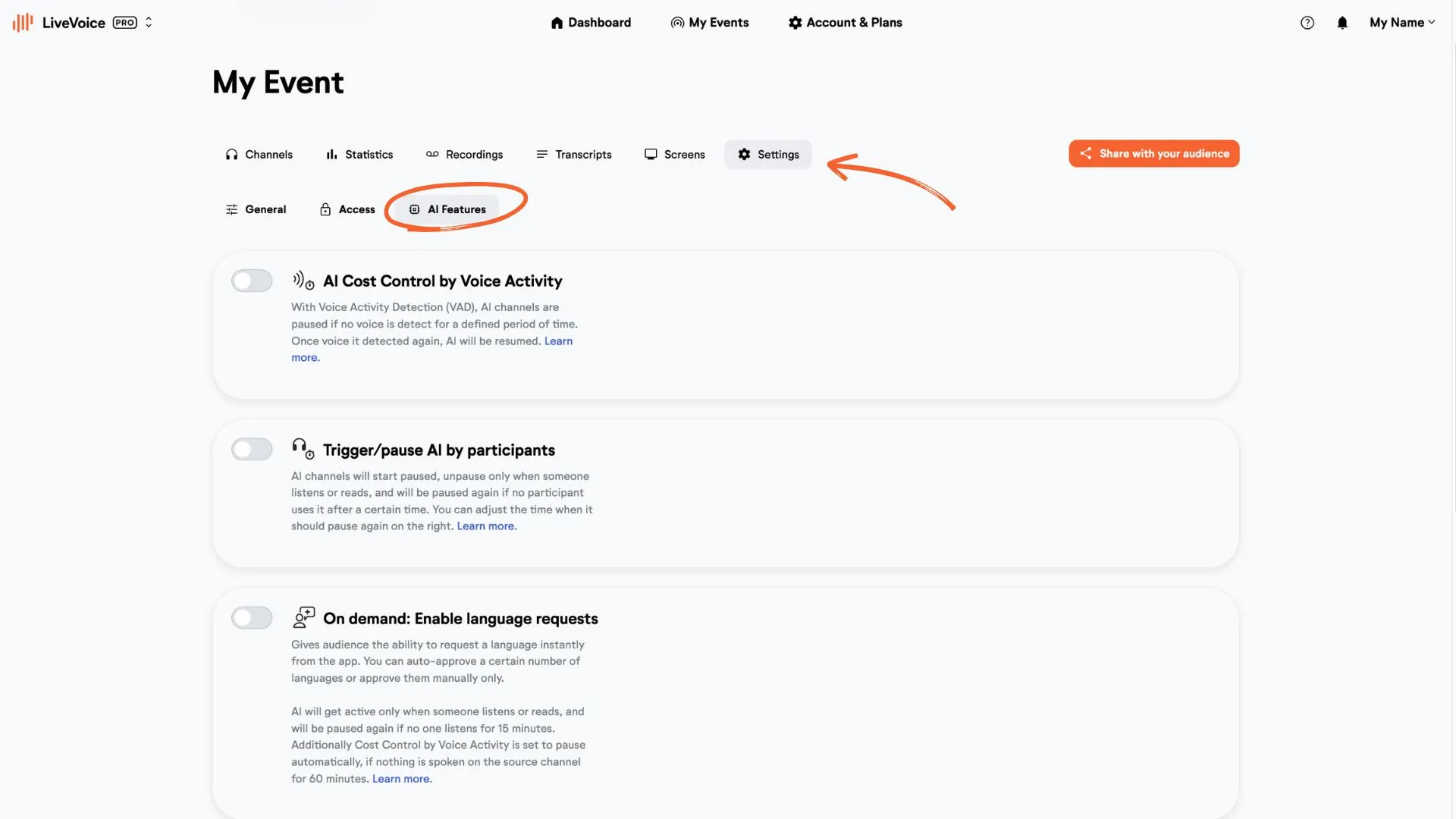
Step 1: Open Settings
a. In your LiveVoice Dashboard, go to "Settings"
b. Open the "AI Features" section.
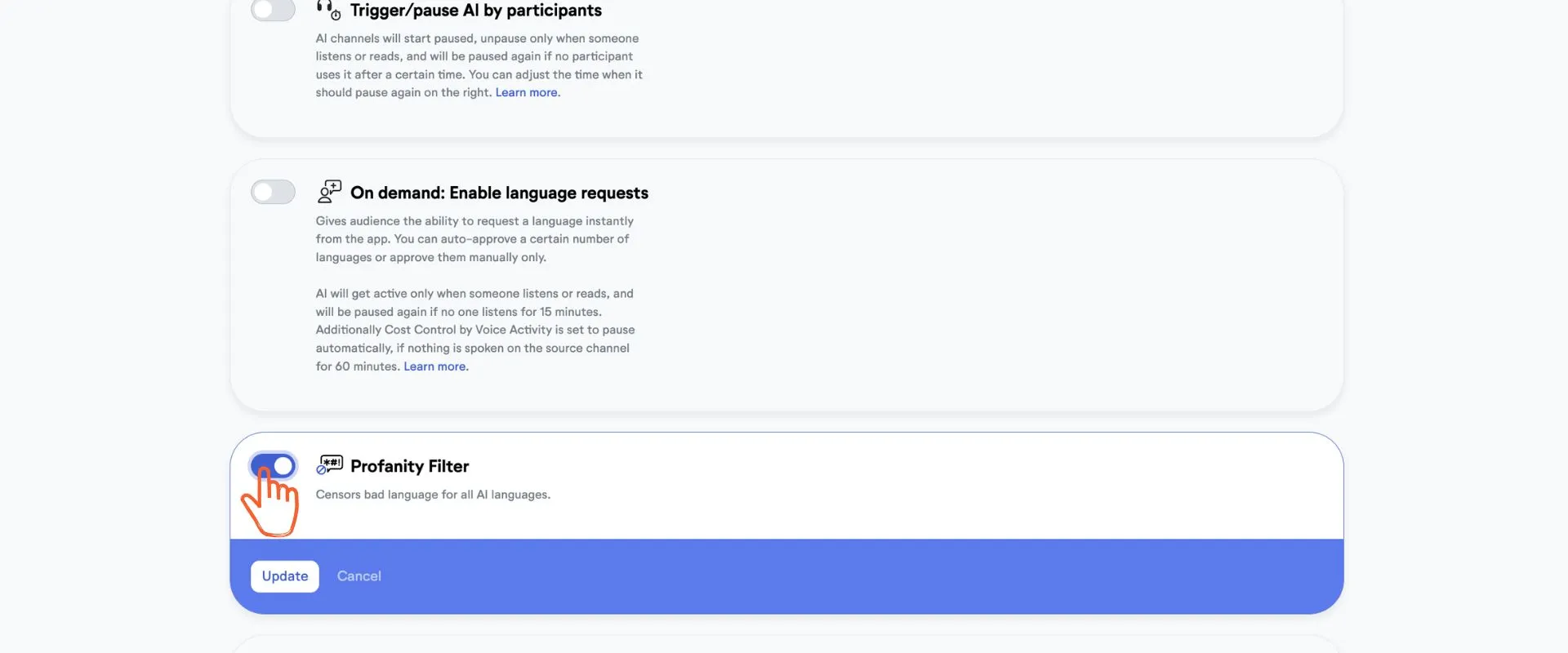
Step 2: Enable the Profanity Filter
Activate the Profanity Filter by turning on the toggle.
The Profanity Filter is currently in BETA phase. If you have any feedback please contact us.