Allow headphones only
Disabling loudspeakers if you want to ensure listeners will not disturb others around them.
Available in: SMART, PRO
In certain cases, like at museums, you might want to make sure that participants do not turn on their loud speaker while listening on LiveVoice.
Therefore we provide an option to disable the use of the phones loudspeaker within the LiveVoice app.
Setup
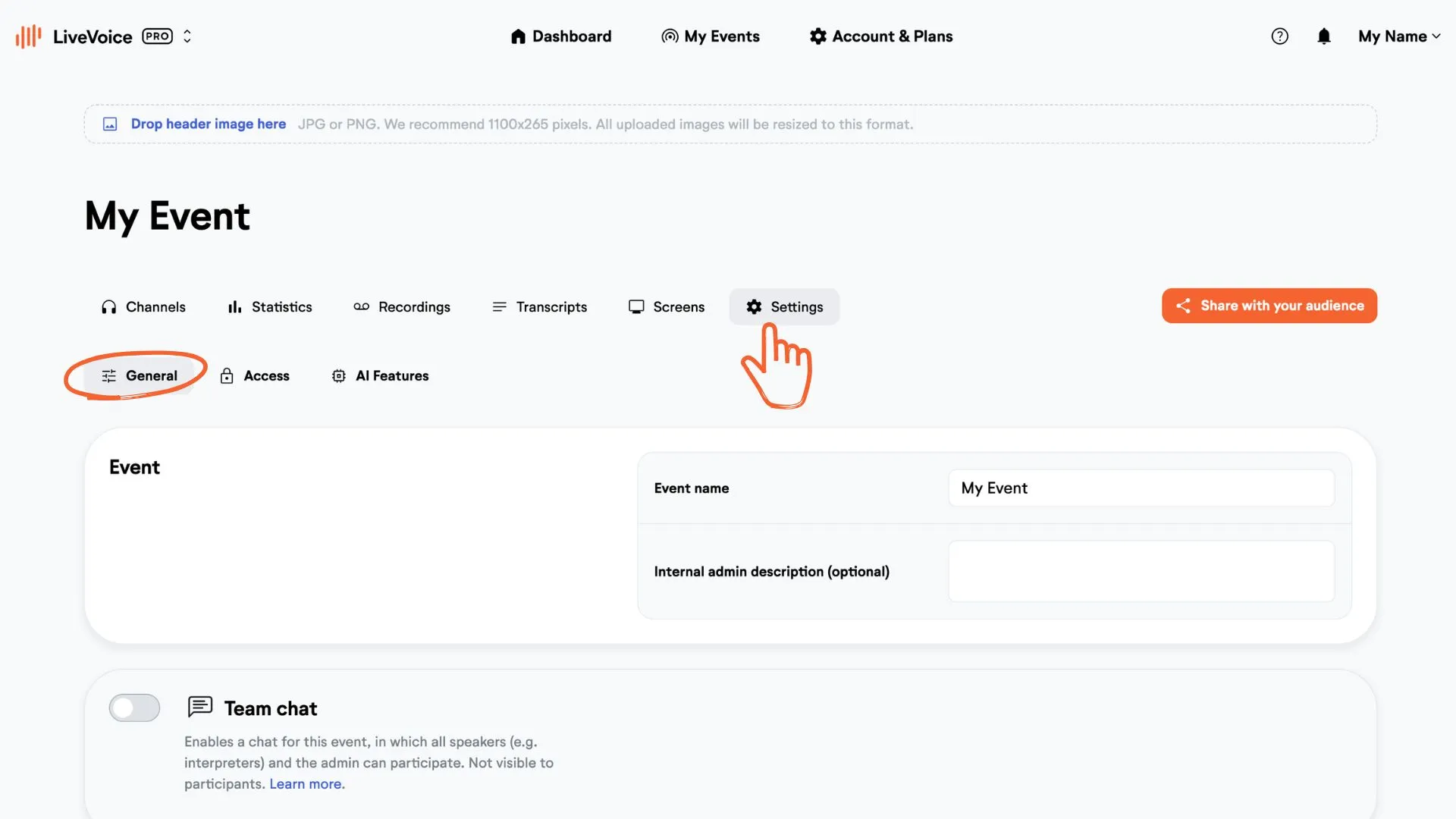
Go to the "Settings" tab in your LiveVoice event. Scroll down to "Headphones only" and activate the toggle.
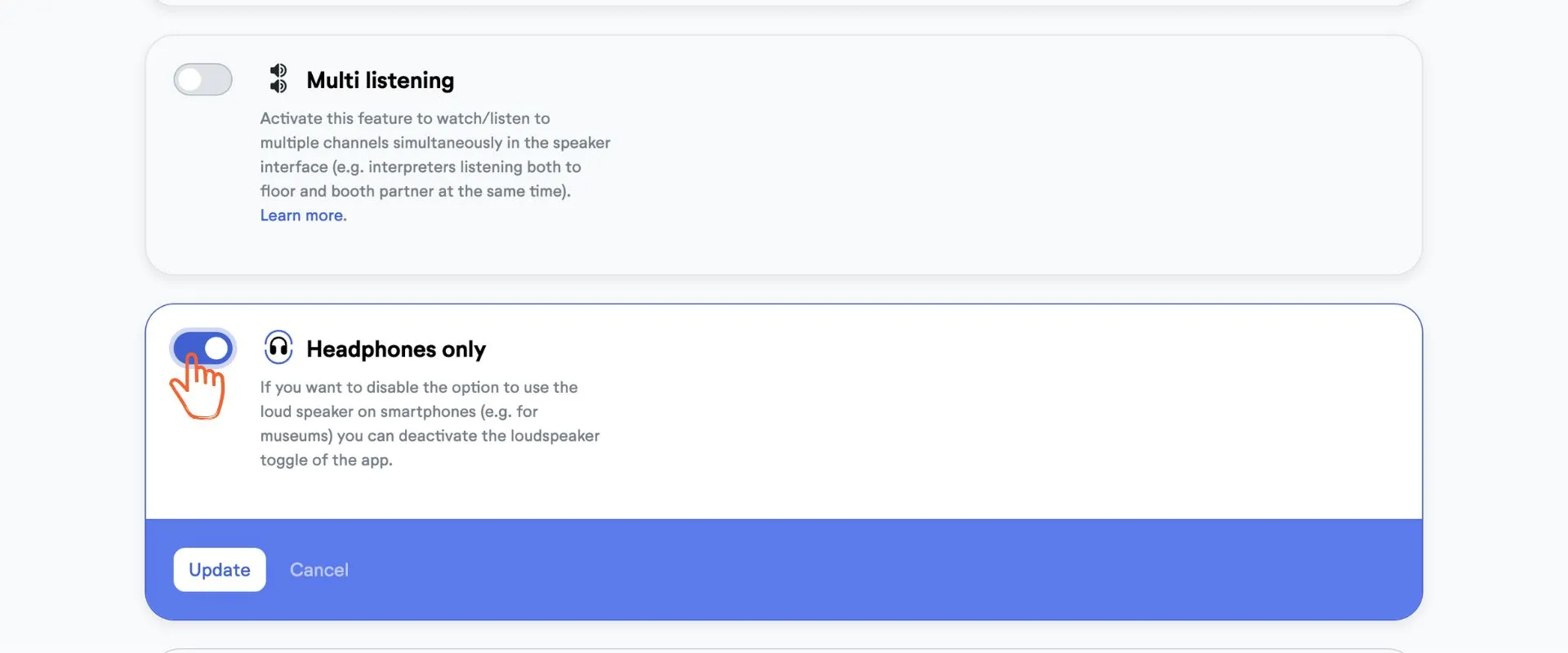
Now your audience will not have the option to switch between headphones and loudspeaker in the LiveVoice app anymore.