AI-Powered Live Translation for Events: How It Works, What It Costs, and When to Use It
Not long ago, offering live translation at an event meant booking an interpretation booth, hiring two interpreters who swapped every 20 minutes, and handing out receivers at the door. The logistics were demanding. The cost was high.
Today, most of that is software. A speaker can reach 20 language groups through the phones already in the audience's pockets. No one hands out receivers. There's no booth to build. AI handles the translation automatically, while the speaker is still talking.
But AI translation only works if you understand what it actually does, and where it still falls short. This guide covers both. By the end, you'll know how to set it up, what it costs, and whether it's the right choice for your event.
What you'll find here:
- How AI live translation works, in plain terms
- What equipment you need (and what you don't)
- Realistic accuracy expectations
- When to use AI, when to use human interpreters, and when to combine both
- What it costs, with a worked example
- Which event formats are the best fit
What AI live translation actually is
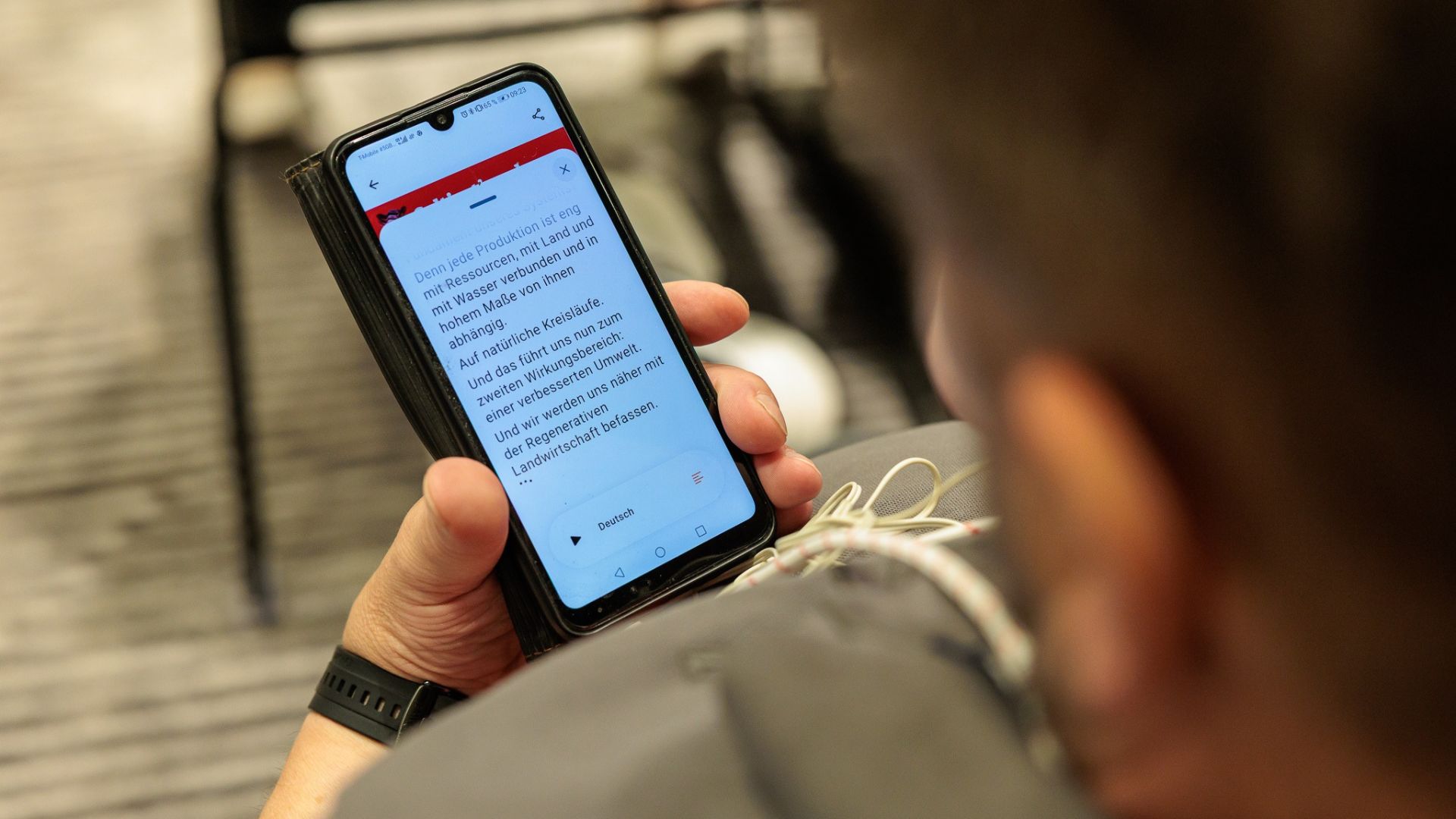
AI live translation converts a speaker's voice into translated audio and captions, delivered directly to listeners' phones. Participants choose their language and listen through their own headphones, or read the subtitles on screen.
In practice, it looks like this: someone in the back row puts in their earbuds, picks their language, and hears the speaker's translation in an AI voice.
LiveVoice is mainly built for one-way, one-to-many scenarios: one or more speakers present, and an audience listens in different languages. It's an event tool, built for audiences.
It's different from human simultaneous interpretation, which trained professionals perform in the moment. Both can run on the same platform, and both serve the same goal: letting every person in the room follow along in their own language. The right choice depends on your event format and content, which we cover in detail below.
How attendees access it
- 1.Scan a QR code or open a link shared by the organizer
- 2.Choose a language
- 3.Plug in headphones and listen, or read the live captions
Participants listen through the LiveVoice app (iOS, Android, Huawei), which runs audio in the background so the phone can stay in a pocket. A browser option is available on computers, which works well for online events. All anyone needs is mobile data or WiFi.
Why audio quality matters
LiveVoice first turns the speaker's audio into text, translates it, then delivers translated voice and captions to your listeners. A clear microphone signal and stable internet make the biggest difference to translation quality. You don't need to understand the technology behind it, but giving it clean audio is the one part that's squarely in your hands.
A note on bandwidth
AI live translation uses very little data. LiveVoice operates at minimal bandwidth per listener (only 0,06 Mbits/s), only a fraction of what streaming a YouTube video requires. As an example: With a 10 MB connection you can serve over 150 people. Standard venue WiFi handles it comfortably, and listeners on mobile data won't notice it.
What you need to set it up
Getting the setup right makes a difference. Here's exactly what you need on both sides.
On the organizer side
| What you need | What you don't need |
|---|---|
| A laptop or device running the platform | Interpretation booths |
| A quality microphone for the speaker | Receiver hardware |
| An audio interface to feed the mic signal into the software | Transmitters or antennas |
| A stable internet connection (wired is best for the speaker feed) | On-site AV contractors |
| A WiFi network or mobile data for participants | Any equipment to hand out or collect |
The AI can only translate well what it hears clearly. So instead of letting your laptop listen to the room, connect it directly to the speaker's microphone. At larger events, the sound technician sends the master output to the computer. At smaller events, plug the microphone into your laptop using a small adapter or an audio interface. In this way the AI hears the speaker and not the ambient noise of the room.
A wired internet connection for the organizer's laptop is strongly recommended. WiFi works, but a cable eliminates the risk of dropouts in the speaker feed, which is the most critical link in the chain.
On the participant side
Participants need their own phone and headphones. They download the app, scan a code, and they're in. No account, no registration, nothing to collect at the end of the day. The phones already in the room become the receivers, and nobody has to wipe down a hundred earpieces afterwards.
Accuracy: what to expect
AI translation won't match human interpretation on nuance and cultural understanding.
Under controlled conditions, meaning a clear audio feed, a single speaker, and a quality microphone, AI live translation accuracy sits in the 85 to 95% range. That's LiveVoice's measured range, based on internal testing across the platform.
In real-world event conditions, accuracy can vary. The factors that affect it most:
- Background noise. Crowd noise, air conditioning, and reverb in large rooms can reduce transcription quality.
- Speaker clarity and pace. Fast speakers, heavy accents, and speakers who trail off mid-sentence are harder for the system to handle.
- Special product and brand names. Product names or other special terms that are spelled in a different way from standard vocabulary can be a challenge for AI to spell correctly. In such cases a custom glossary helps.
For most conference presentations, keynotes, Sunday services, and guided tours, the accuracy is enough for listeners to follow along comfortably. For content where every word carries weight, human interpreters may be the better choice.
A note on timing
The AI starts translating once the speaker finishes a sentence. That means the delay listeners experience is mostly determined by the speaker, not the technology. Short, clear sentences keep things tight. If your speaker is fond of a long, scenic sentence, the AI waits it out until its end and the foreign speaking audience will have to wait with it.
When to use AI, when to use human, and when to use both
The honest answer is that it depends on the event. Here's how the two compare, and where combining them works best. For a fuller side-by-side, see our guide to AI voice translation vs human interpretation.
AI translation works best for:
- One-way presentations with structured content
- Events with several language groups to cover
- Tours, keynotes, and sessions where one person is speaking
- Content where the gist matters more than perfect precision
- Tight budgets or time-sensitive setups
Human interpretation works best for:
- Back-and-forth discussions or panels
- Content requiring cultural or contextual interpretation
- High-stakes negotiations, legal proceedings, or medical consultations
- Small, intimate settings where personal connection matters
Take the German word Opfer. It can mean both "sacrifice" and "victim," depending on context. A human interpreter picks up the cultural and situational cues in the moment and chooses correctly. An AI picks whatever's more common in its training data. It's a small example of a bigger thing AI can get wrong: the judgment call which depends on understanding the room, the speaker and the moment.
The combined approach: human for main languages, AI for the rest
This is one of the most practical and underused options in event translation. With LiveVoice, you can run human interpreters for your primary languages and use AI Voice Translation to cover additional languages in the same event. Interpreters and AI can even hand over to each other within the same language channel.
The OMR Festival, Hamburg's annual digital marketing and commerce event, is a good example of how this plays out at scale. Their main stage ran with human interpreters. All the other stages ran on AI translation, which made a programme of that size manageable without booking interpreters for every room. The main stage got the highest quality it needed, and the rest of the event still reached an international audience.
There's also a smaller version of this. Some interpreters have started working alongside AI rather than with a second interpreter. The AI covers what it can handle, the interpreter steps in when nuance matters. It's a newer way of working. It costs less than hiring a second interpreter, and the interpreter can still take over whenever a passage needs a human.
Some organizations have moved through both models over time. The Global Leadership Summit is one of them:
We've been using LiveVoice at GLS for many years now, first with human interpreters, now with AI translation. It works great for us in any way and we are glad we found a tool that accommodates so well to our needs, both for our on-site and online audience.
What does AI live translation cost?
Pricing varies a lot across platforms. Some charge per event, some require an annual contract before you've run a single session, and some ask you to call sales to find out the number.
With LiveVoice everything is modular and pay-as-you-go, you can book online without needing anyone else.
How the pricing works
There are two components:
- 1.The participants plan, which covers platform access and scales by the maximum number of participants at the same time. You can book it by the day, month or year.
- 2.AI Translation and Captions, billed separately by the minute, per language. The clock starts when you activate AI and stops when you click stop.
How the bill scales
A 2-hour session in 3 languages runs for 120 minutes. You'd pay for 120 minutes × 3 languages. Add a fourth language, and you're adding that same per-minute rate again, nothing more. Stop the AI, and the meter stops with it.
That's the whole logic: you pay for the languages you run, for the minutes you actually use them. No per-event fee, no minimum, no annual contract.
Non-profits and churches receive special discounts. Get in touch to ask about special pricing conditions.
You can test the full platform for free with up to 3 participants and 20 free AI minutes before committing to anything.
Which events is AI live translation best suited for?
Conferences and multi-stage events
For presentations and keynotes, AI translation handles the load well. Organizers set up in minutes, share a QR code, and participants join on their own devices. It's especially useful for events running several stages at once, where booking interpreters for every room isn't realistic. Hybrid setups work the same way: listeners in the room use their phones, remote participants join through the same link on their computers, with no separate setup for each.
At Digital X in Cologne, AI translation opened the event's stages to an international audience across language barriers. You can read how they did it in the Digital X case study.
Churches and faith communities
A single service can reach congregants in 70 or more languages, with AI handling the translation automatically. Most churches rely on volunteers for translation, and volunteers can't cover every language, aren't always there on the day, and can't be in two services at once. AI fills the gaps they can't: the languages nobody in the congregation speaks, and the Sundays when the usual person is away. The emotional case is simpler than the technical one: someone who has been sitting through services in a language they half-follow can suddenly follow all of it.
Guided tours
One guide speaks, and participants in multiple language groups follow along on their phones. No additional guides, splitting the group by language, equipment to hand out at the beginning or chase down at the end. It works particularly well for city walks, museums, cultural sites, and factory tours, where the group is moving and hardware is a genuine nuisance.
The honest summary
AI live translation isn't magic, and it isn't a replacement for a skilled interpreter. It gets roughly 85 to 95% of the words right, it needs clean audio to do that, and it will miss the judgment calls a human would catch.
What it does do is bringing unmatched flexibility, it makes multilingual events possible for organizations that previously couldn't afford them at all, and makes large multilingual events manageable for those who could.
The best way to know whether it fits your event is to try it with your own speakers, your own venue, and your own content.
Frequently asked questions
They scan a QR code or open a link shared by the organizer, which takes them to the LiveVoice app. They choose their language, plug in headphones, and listen to the translated audio or read the live captions on screen. No account is needed.
For in-person events, using an app is the best way. Participants download the LiveVoice app (iOS, Android, Huawei), which runs audio in the background so the phone can stay in a pocket. A browser option is available on computers, which works well for online events and for speakers and admins. The browser option can be used on mobile devices as well, but for best experience the app is the right choice.
Under normal conditions, accuracy sits in the 85 to 95% range. Real-world accuracy depends on microphone quality, background noise, and speaker clarity. Uploading a custom glossary with event-specific terminology before the session improves accuracy for specialized content and brand names. For content where precision is critical, human interpreters remain the best choice.
Yes. LiveVoice lets you run human interpreters for primary languages and AI Voice Translation for additional languages simultaneously. Interpreters and AI can also hand over to each other within the same language channel during a session.
Standard mobile data or WiFi is sufficient. AI live translation uses very little bandwidth per listener, and participants do not need to be on the same network as the organizer.
With LiveVoice, AI Voice and Text Translation is billed by the minute, per language, on top of a participants plan you can book by the day or the month. You pay only for the languages you run and the minutes you use them. There are no per-event fees and no annual contract required. A free test plan covers up to 3 participants and 20 AI minutes. See the full pricing page for current rates.
Try LiveVoice free
Sign up, set up a test stream, and see how it works for your event. And we've included free AI minutes, so you can try AI Translation right away.