Trigger/pause AI by participants
Have AI translation and captions only activated when participants actually use it.
If you turn on this feature, AI channels will start paused, unpause only when someone listens or reads, and will be paused again if no participant uses it after a certain time.
To activate this feature go to Event Settings and then to AI Features.
You can adjust the time on the right when AI should pause again after participants stop using it.
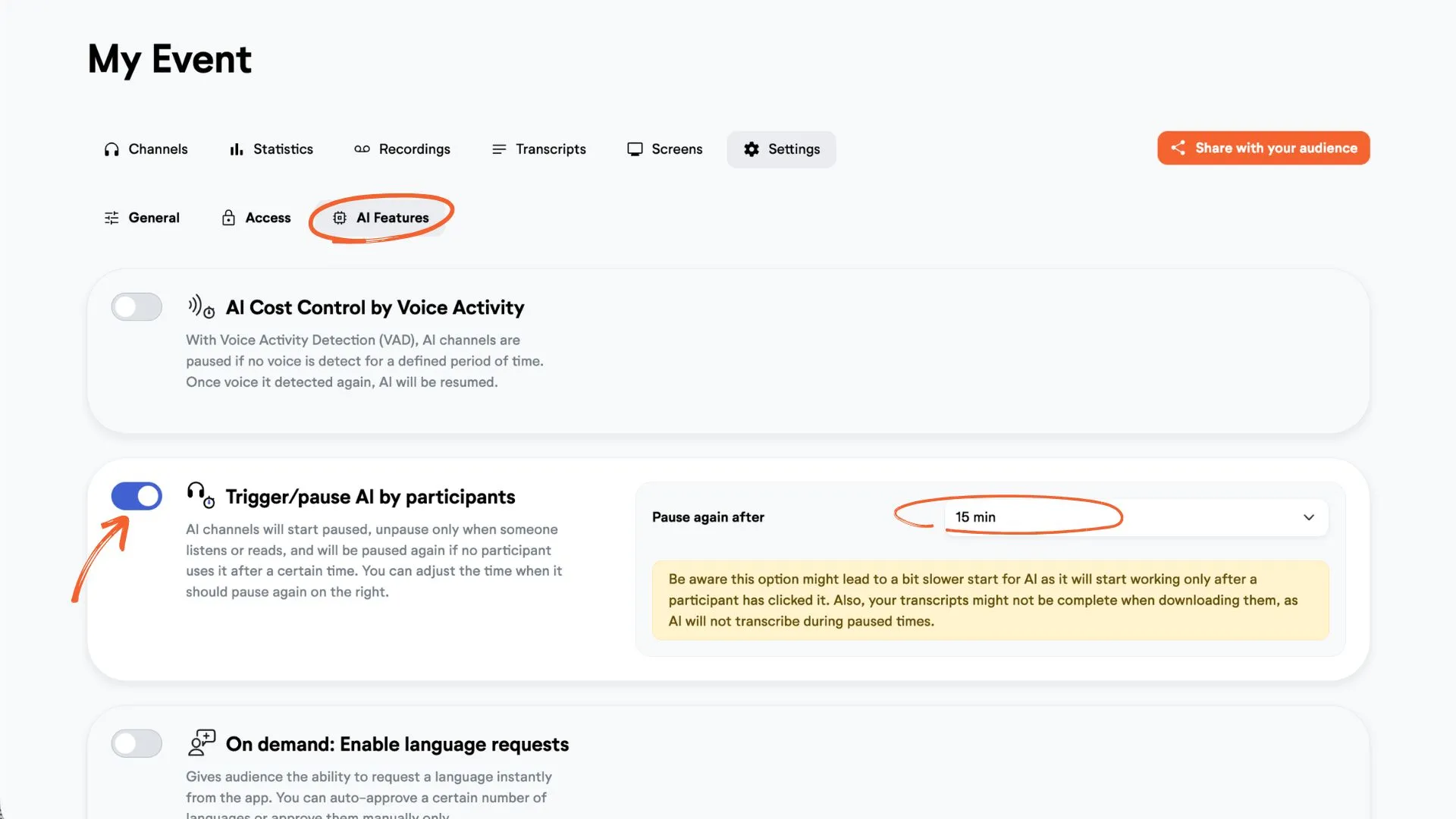
☝️ Be aware this option might lead to a bit slower start for AI as it will start working only after a participant has clicked it. Also, your transcripts might not be complete when downloading them, as AI will not transcribe during paused times.