See this article in other guides
arrow_backwards
🚀 Get startedInvite participants & speakers
How to share an event with your audience and let speakers join.
1: Invite participants
Click "Share with your audience"
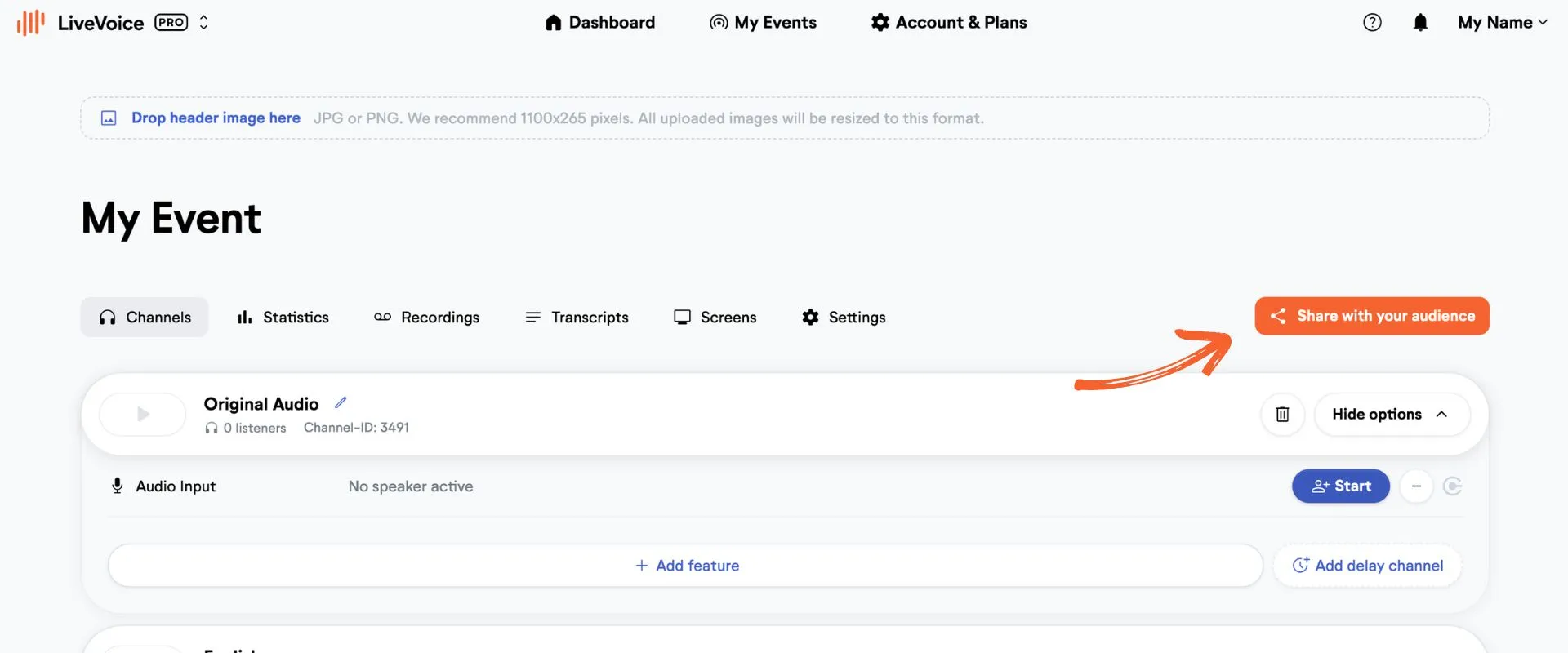
Copy the automatically generated link or 6-digit code, or download automatically generated PDF sheets and slides with QR code. Explore all sharing options here.
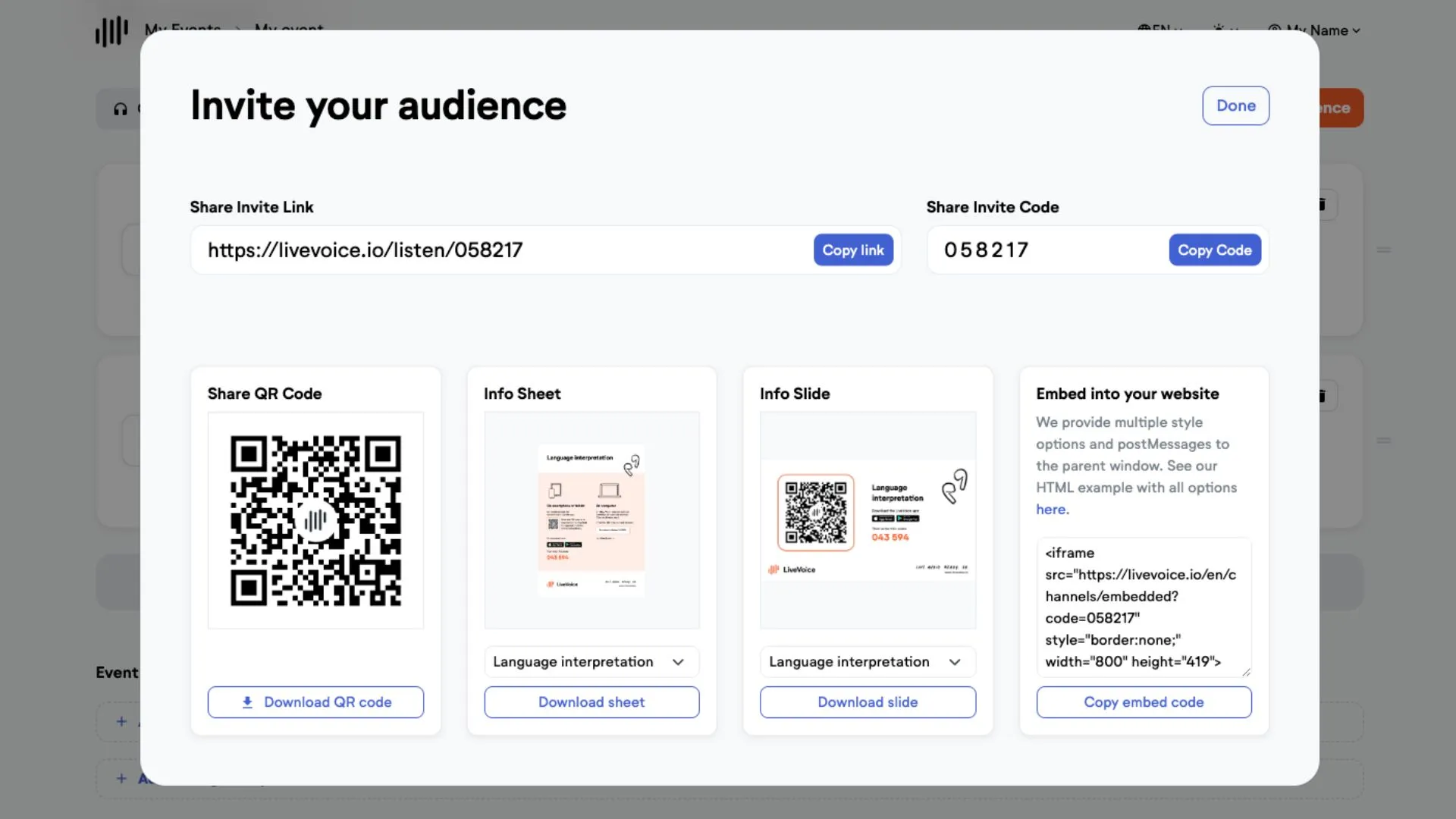
2: Invite speakers - or start streaming yourself
To invite speaker, go to "Start". Send the automatically generated code or the smart link of each channel to its speaker (e.g. to your interpreter, tour guide or AV technician).
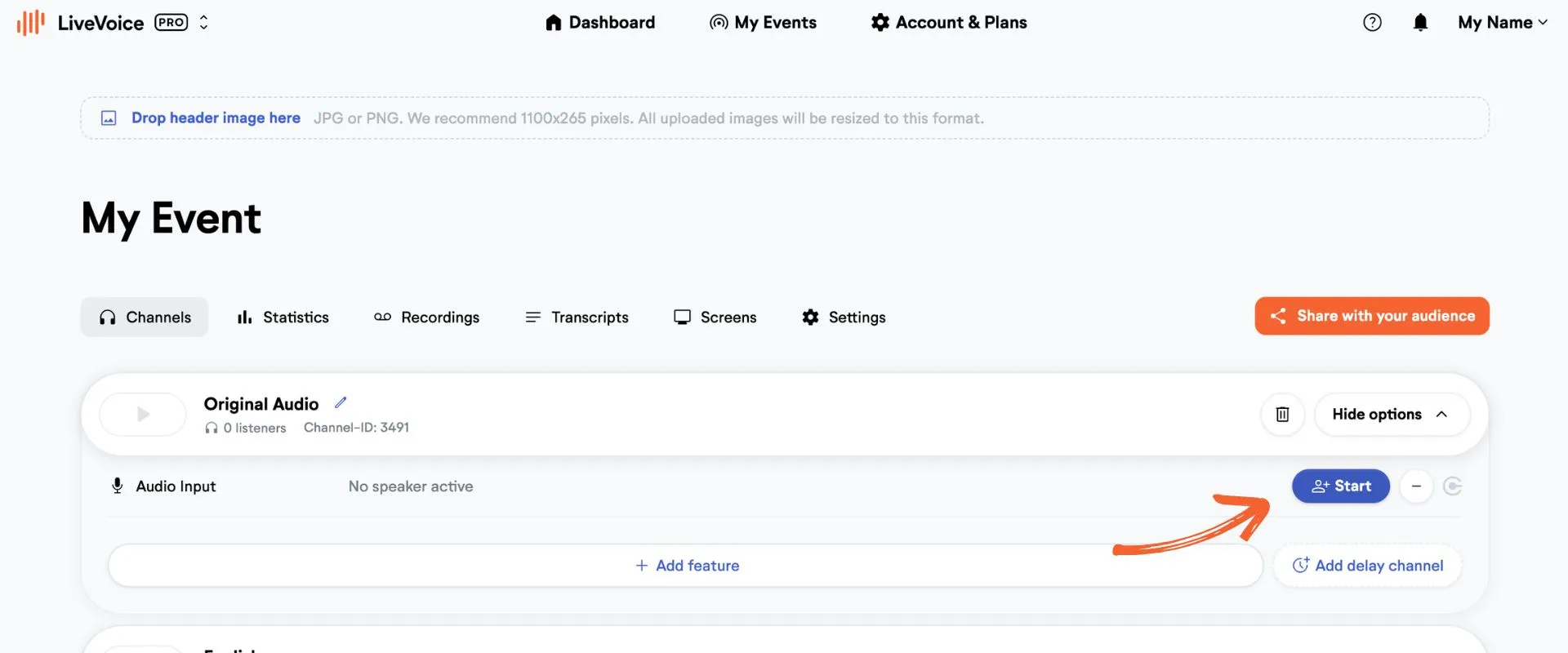
As an admin you can also start streaming yourself. Simply click on "Start" and then go to "Start streaming" and your channel will open in a new tab.
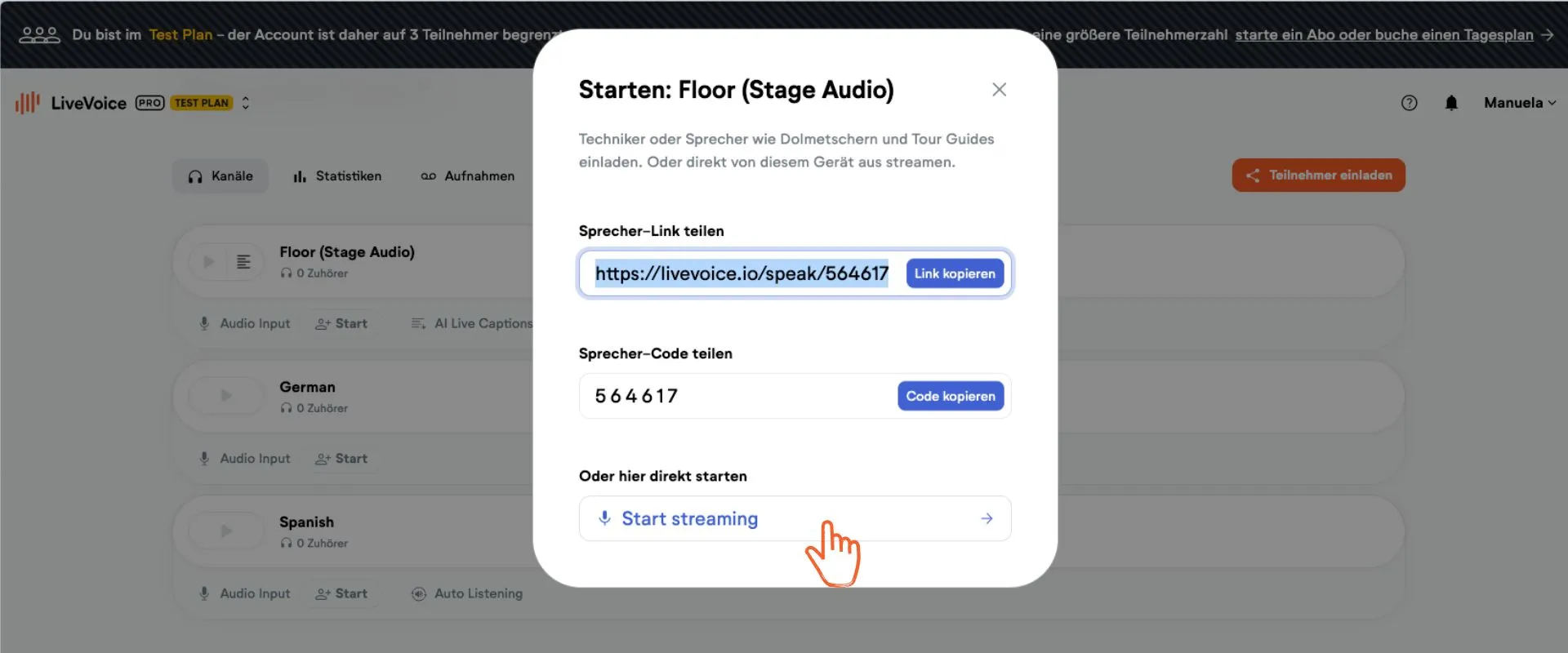
Note: Each event has one participant code. Each channel has one speaker code.
This means, one event has only one participant code but as many speaker codes as it has channels.