A Practical Guide to Live Captions and Subtitles for Events: Everything you need to know about the writing on the screen
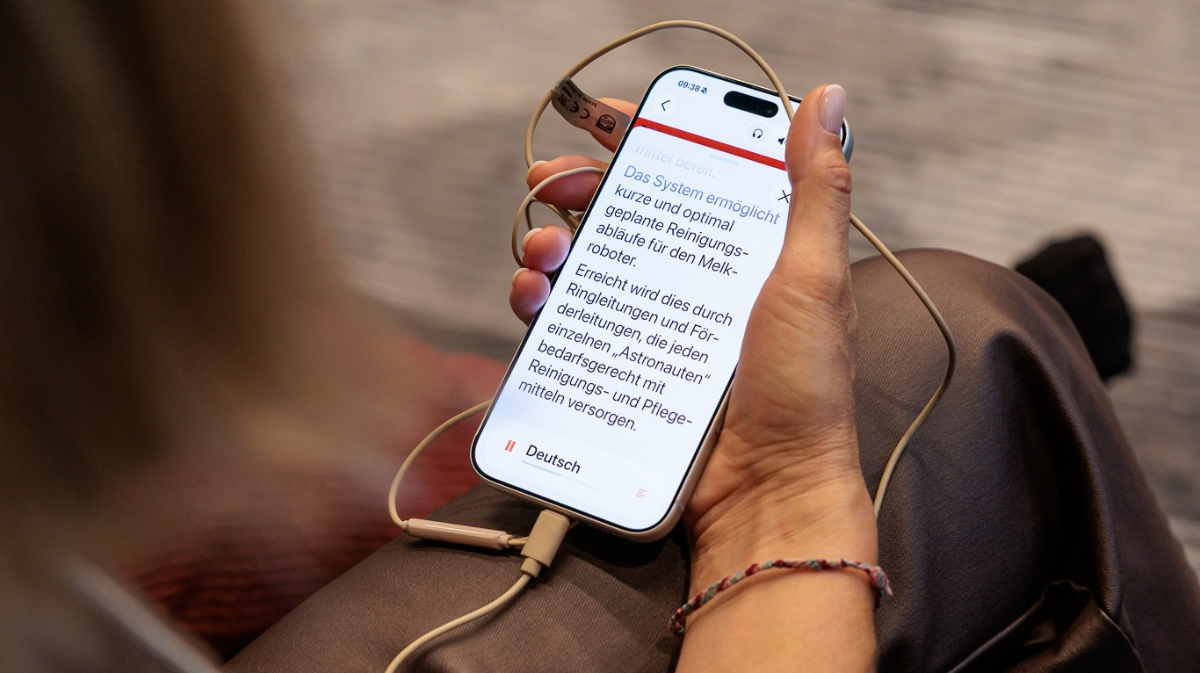
LiveVoice offers not only audio translation, but also live captions either on attendees phones or on large screens. But there are many terms in this field: Subtitles, Captions, Lower Thirds, Closed and Open. So the question is: What is it? What are the differences? Why does it matter and for whom does it matter the most? This blog post breaks down what subtitles and captions actually are, how open and closed formats differ and what’s the choice that is best for your event experience.
Because text on screen isn't only for people who are Deaf or hard of hearing. It also supports Gen Z audiences used to having subtitles on by default, neurodiverse attendees who process information more easily with an additional channel, non-native speakers and language learners, and anyone trying to follow a keynote in a noisy hall. In short: written text is a form of universal design. A tool that helps many people to understand better, remember longer and have a better - more accessible - event experience.
Subtitles vs. Captions: What's the Difference?
The terms are often used interchangeably, but they refer to different things. Both are forms of written representation of audio content, but they do not transport the same type of information.
Subtitles translate spoken language into text. Their main job is to make the words accessible, typically for people who don't speak the language being used, or who have some difficulty following it.
Captions, and particularly closed captions, have been originally an accessibility feature for Deaf and hard of hearing people - traditionally associated with pre-recorded content such as movies, TV shows, and online videos. These kinds of captions go beyond the spoken words to represent the wider sound environment: sound effects ("footsteps approaching") or emotional cues ("shaking voice"), music ("upbeat music playing"), and other relevant audio information ("object drops"). Today however, the term captions is more broadly used - think of Instagram or TikTok videos where captions mostly refer to the words spoken in a video.
For deaf sign language interpretation is the most comprehensive and natural form of access, but captions offer an important alternative for Deaf or hard of hearing attendees, when sign language is not provided.
Translated vs. Original Subtitles
Translated subtitles: This one everyone already knows. Think of a Japanese film playing with subtitles in your own language: that's the classic case. The audio is in a language you don't speak, so subtitles translate it as you go. LiveVoice does the same thing with AI at events: a talk in one language turns into subtitles in another, live.
Original-language subtitles: Same idea, but the words you hear get written out in that same language. Increasingly common even when the audience understands what's being said, for reasons like:
- A strong accent, an unfamiliar dialect, or simply learning the language can make the written word a helpful anchor. Subtitles let viewers follow along even when they don't catch every word. This is especially relevant at events with a mix of accents and language backgrounds.
- Noisy or sound-sensitive environments: subtitles let people follow content where audio can't be heard clearly, for instance a crowded expo hall, or where sound isn't appropriate at all.
- Cognitive and learning differences: for some attendees, on-screen text offers a second pathway for processing information, making content easier to follow.
Open Captions vs. Closed Captions
Subtitles or captions can be delivered in two formats: open or closed. Usually they are only referred to as “captions” no matter if they carry elements beyond spoken word.
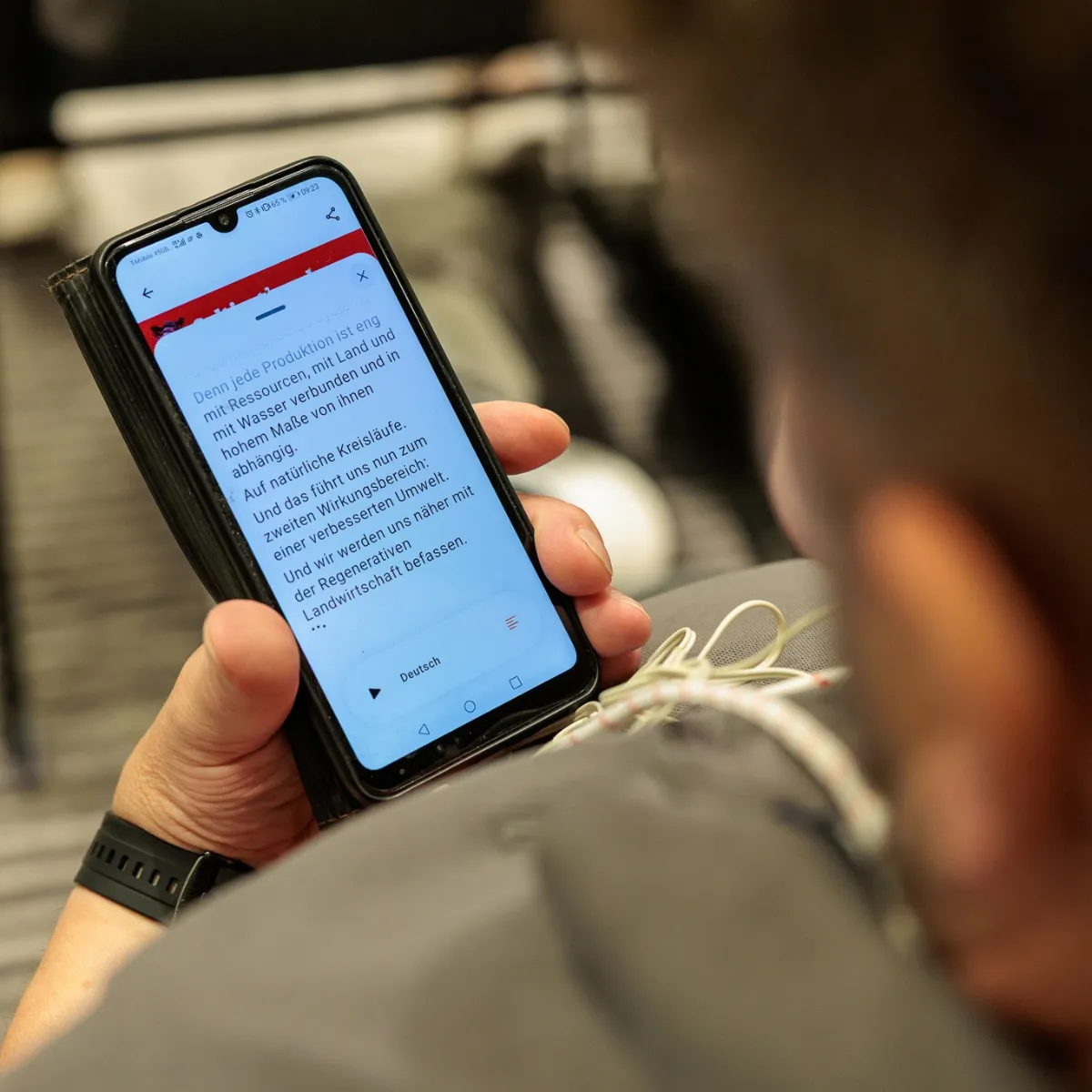
Closed captions can be switched on or off by each individual viewer. On a TV you can push a button to show the closed captions or hide them. At live events it is similar but of course a bit different. For example, when event attendees are using LiveVoice Live Captions, they can activate or hide live captions on their smartphone or tablet via the LiveVoice app, or for online events, via any web browser on the attendee's computer.
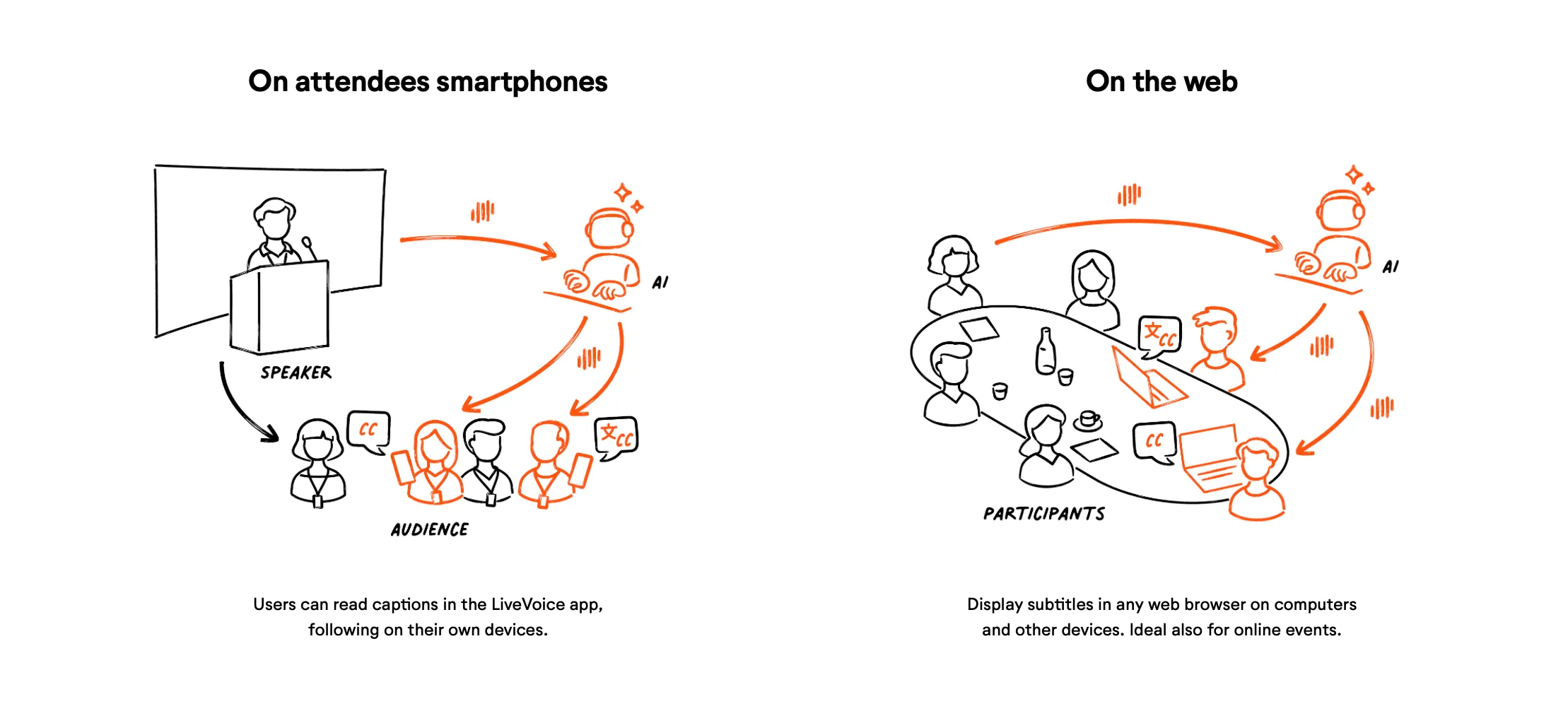
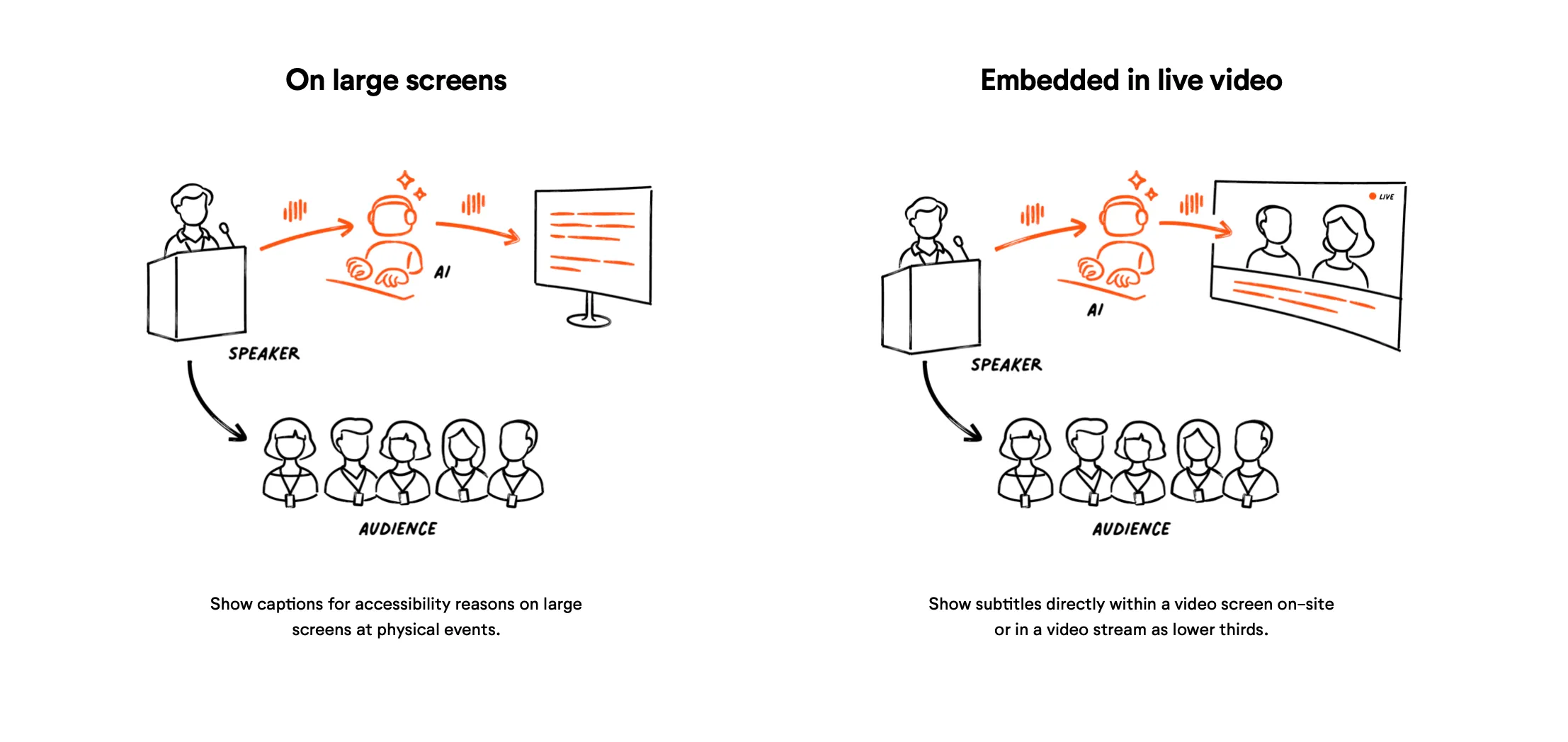
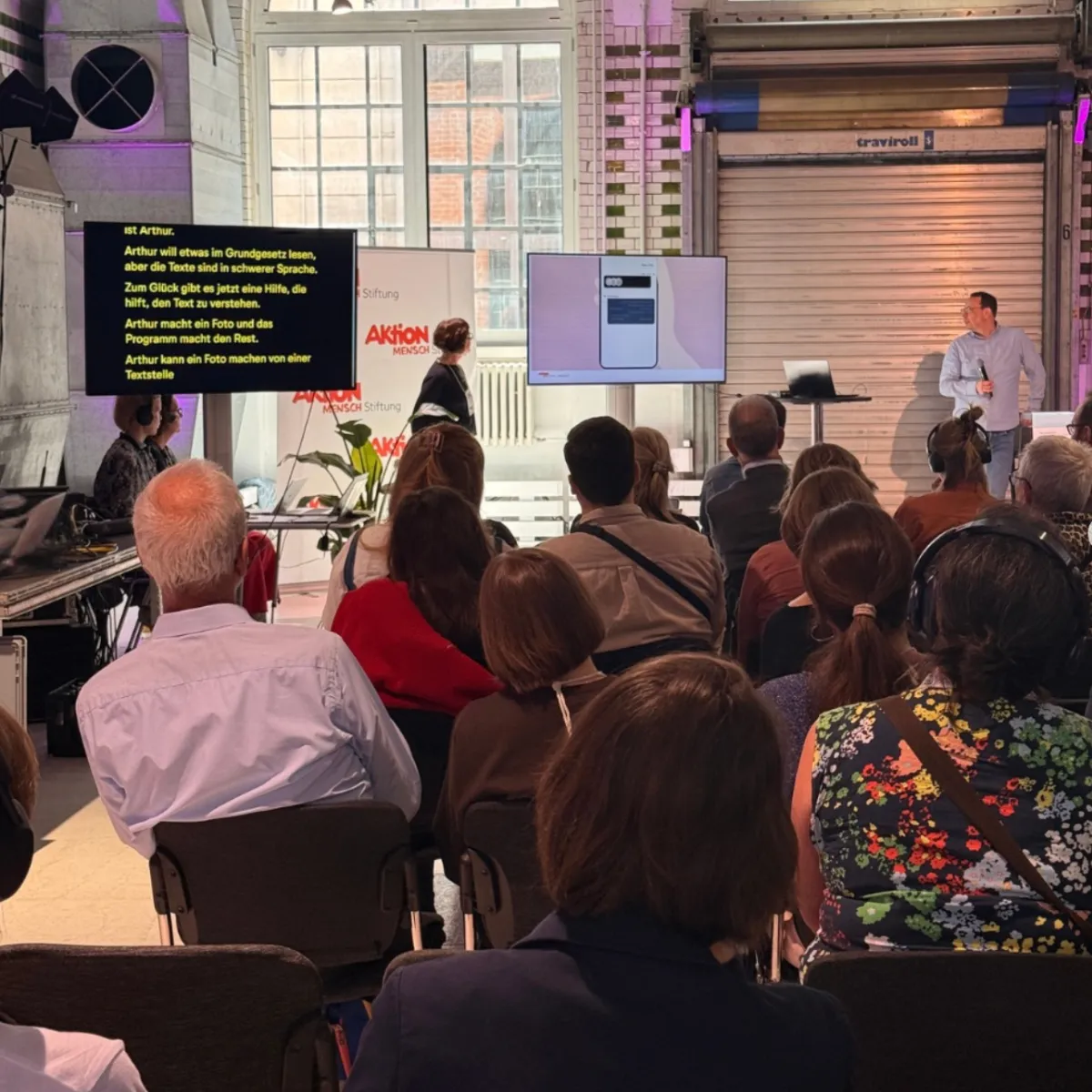
Open captions are embedded directly into the video or livestream. They're always visible and can't be turned off - think of Instagram or TikTok again. At a live event, they have their place when you display original or translated captions on a video wall or live screen, either full-screen or as lower thirds. Everyone in the room sees the same written signal at the same time.
Full-Screen Scrolling vs. Lower Thirds
Within open captions, there are two common ways to display the text, and which one fits depends largely on the event's technical setup rather than one being generally "better":
Full-screen scrolling shows the text on the whole screen and feels a bit like a teleprompter: Text moving slowly up, with new text added on the bottom. This gives attendees a lot of time to read along, even if they have not paid attention for a moment. It is the simplest setup since it requires only a computer and a large screen that shows a web page.
Lower thirds is text displayed in the bottom area of a video, therefore often what people would most commonly refer to as actual “subtitles”. This setup makes sense when there's a large screen broadcasting the stage feed, since the text is embedded directly onto that video image. This setup needs a bit more technical expertise at it does require a video mixer to combine the two signals.
In short: it's a preference that follows from what equipment is already in place and what the attendee experience should be, not a fixed rule. LiveVoice offers both options.
The case for open captions
Open captions support everyone, including event attendees who wouldn't have actively opted in to subtitles themselves. Because they don't require special access, they align closely with universal design:
- Everyone receives the same communicative infrastructure.
- Everyone looks at the same screen.
- No one is singled out, and no one has to opt in.
This reduces stigma and treats accessibility as part of the shared environment, rather than an individual need someone has to disclose.
The case for closed captions
The trade-off is that some attendees find on-screen text distracting, particularly people less accustomed to reading while listening. There's a generational pattern here: younger audiences, shaped by social media and streaming platforms where subtitles are often on by default, tend to find them unobtrusive. Older audiences, less exposed to that habit, are more likely to find them intrusive.
Closed captions solve this by putting the choice in each attendee's hands. Anyone who wants the extra support can turn subtitles on via their phone or tablet; anyone who doesn't can simply listen. It's the more flexible option when your audience's preferences are likely to be mixed.
In many cases it is also the technically easiest solution. Event organizer and technicians don’t need any additional equipment like screens or a video mixer, as attendees simply use their own device.
Live Captions Terminology used by LiveVoice
As we have explained in this article, technically and historically there are a lot of differences and nuances when it comes to terminology. While we want to reflect these as accurately as possible, our goal at LiveVoice is to make it as easy and understandable for everyone, even when not being an expert in this field.
Therefore, at LiveVoice we simply speak of Live Captions, even though, by the strict definitions above, what it delivers is closer to subtitles: the focus is on making the spoken word accessible in real time, rather than representing the full sound environment. But as “subtitles” are understood by most people only in the sense of “lower thirds” the term “captions” conveys the capabilities better.
A few nuances worth knowing:
- Displayed as a lower third, Live Captions look and function like classic subtitles.
- Displayed full-screen scrolling, they're closer to a live transcript than subtitles in the traditional sense.
- Displayed on an attendee's smartphone via the app, that's the closed format described above.
| Live Captions | Closed | Open |
|---|---|---|
| Original | Own Device | Shared Screen |
| Translated | Own Device | Shared Screen |
Which Option Is Right for Your Event?
There's no universal answer for what the best option for an event is, since it depends on your audience and your goals:
If your priority is maximum inclusion with zero extra steps for attendees, live captions on large screens ensure no one is left without support, even people who wouldn't have sought it out themselves. If you are broadcasting the stage feed on large screens, the Lower Thirds option will be the way to go. If you have an extra screen reserved for captions, you can simply use the fullscreen scrolling option.
If your audience is likely to have mixed preferences - some who want text, some who'd find it distracting - live captions on smartphones will be the best choice, as closed captions offer more flexibility, letting each person choose.
With LiveVoice, you're not locked into one or the other. You can choose between one of these options or even offer all - whichever fits your event best.
FAQ
What's the difference between original and translated subtitles? Original subtitles are a live transcript of what is spoken at an event at this moment. We use the term “Live Captions.” Translated subtitles is translation of content in text form, displayed in real time.
What are open captions? Captions or subtitles embedded directly into a video or livestream so they're always visible to everyone and can't be turned off.
What are closed captions? Captions or subtitles that each viewer can switch on or off individually.
Can I offer open and closed with LiveVoice at the same event? Yes. LiveVoice supports both: display captions openly on a shared screen, or let attendees activate them individually through the app.
Does LiveVoice offer subtitles, captions, or both? LiveVoice offers live captions which is technically the same as subtitles, just a different term. LiveVoice provides translated subtitles/captions in over 70 languages, as well as original-language subtitles — open or closed.